Skip to content

Blog

Wireless BCM4312 3.2 kernel
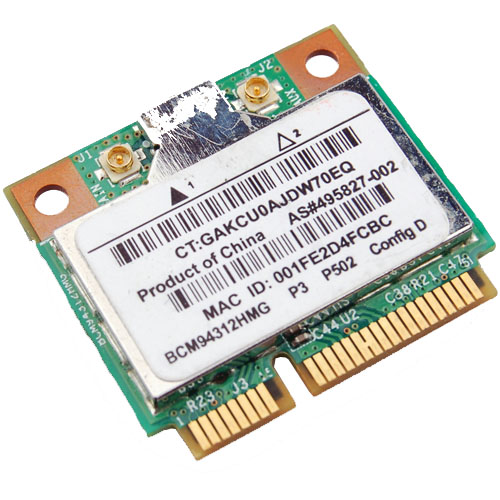
Broadcom Chipset BCM4312

Since there is an Ubuntu package 'firmware-b43-lpphy-installer' which is up to date and will work against the 3.0 kernel, my earlier posts are obsolete. If you are not running Ubuntu, then you will still need to reference my post.

The latest 3.2 Linux kernel however has a few ABI changes, most notably in the network stack which effects the Broadcom's wl module. Most notably is: .ndo_set_multicast_list which was replaced with .ndo_set_rx_mode.

My specific chipset from lspci command:

Broadcom Corporation BCM4312 802.11b/g LP-PHY (rev 01)

Below is the error I get with v5_100_82_38 from Broadcom when compiling against Linux kernel 3.2:

bcurtis@zwartevogel:~/Downloads/wl$ sudo make KBUILD_NOPEDANTIC=1 make -C /lib/modules/3.2.0-030200rc1-generic/build M=pwd make[1]: Entering directory /usr/src/linux-headers-3.2.0-030200rc1-generic' LD /home/bcurtis/Downloads/wl/built-in.o CC /home/bcurtis/Downloads/wl/src/shared/linux\_osl.o CC /home/bcurtis/Downloads/wl/src/wl/sys/wl\_linux.o /home/bcurtis/Downloads/wl/src/wl/sys/wl\_linux.c:326:2: error: unknown field ‘ndo\_set\_multicast\_list’ specified in initializer /home/bcurtis/Downloads/wl/src/wl/sys/wl\_linux.c:326:2: warning: initialization from incompatible pointer type /home/bcurtis/Downloads/wl/src/wl/sys/wl\_linux.c:326:2: warning: (near initialization for ‘wl\_netdev\_ops.ndo\_validate\_addr’) make[2]: \*\*\* Error 1 make[1]: \*\*\* Error 2 make[1]: Leaving directory/usr/src/linux-headers-3.2.0-030200rc1-generic' make: *** Error 2

To get your wireless adapter working again:

  1. Download this patch: bc_wl_abiupdate.patch
  2. patch -p0 src/wl/sys/wl_linux.c < bc_wl_abiupdate.patch
  3. sudo make; sudo make install; sudo depmod; sudo modprobe wl

Give Ubuntu a few seconds after loading the "wl" kernel module, then eventually the Network Manager will start looking for wireless networks.

Chipsets supported by "Broadcom's IEEE 802.11a/b/g/n hybrid Linux® device driver" are: BCM4311, BCM4312, BCM4313, BCM4321, BCM4322, BCM43224, and BCM43225, BCM43227 and BCM43228.

Build environments using chroot

i386 or amd64

The need was simple enough: make deb packages from source for multiple architectures on the same system. This needed to be done without the overhead of a virtual machine and without using something like launchpad.

I've used chroot in the past and it seemed like a perfect fit for the problem. The idea is to have at least two chroot-able directories with the bare essentials from Ubuntu Natty (10.04) to compile and build deb packages. Here is a simple way to accomplish this: sudo apt-get install dchroot debootstrap sudo debootstrap --arch i386 natty /opt/chroot_i386/ http://archive.ubuntu.com/ubuntu sudo debootstrap --arch amd64 natty /opt/chroot_amd64/ http://archive.ubuntu.com/ubuntu sudo chroot /opt/chroot_amd64 locale-gen en_US en_US.UTF-8 dpkg-reconfigure locales exit sudo chroot /opt/chroot_i386 locale-gen en_US en_US.UTF-8 dpkg-reconfigure locales exit

The next step is to update your apt repositories and get the latest updates and upgrades. Overwrite /etc/apt/sources.list in your respective chroots with the following: deb http://be.archive.ubuntu.com/ubuntu/ natty main universe multiverse restricted deb http://be.archive.ubuntu.com/ubuntu/ natty-updates main universe multiverse restricted deb http://be.archive.ubuntu.com/ubuntu/ natty-backports main universe multiverse restricted deb http://archive.canonical.com/ubuntu natty partner deb http://security.ubuntu.com/ubuntu natty-security main universe multiverse restricted

In each chroot we update to latest packages and install our build environment. apt-get update apt-get dist-upgrade -y apt-get install build-essential

While you are setting up one chroot environment and you want to mirror the installed packages in another chroot, then you can do the following.

Make a list: dpkg --get-selections > installed-software

Use list to install necessary packages: dpkg --set-selections < installed-software dselect install

This should get you going for compiling and building in separate environments. This technique could also be used for non-debian based distributions as well.

Skype on Ubuntu 11.10 (Oneiric Ocelot)

skype

If you upgrade to Ubuntu 11.10 on a 64-bit platform and try to run skype then you will likely get this error:

skype: error while loading shared libraries: libXss.so.1: cannot open shared object file: No such file or directory

This is because libxss1 and a few other libraries have been removed from ia32-libs package.

You will need to enable multiarch and install the extra 32 bit libraries by hand: echo foreign-architecture i386 | sudo tee /etc/dpkg/dpkg.cfg.d/multiarch sudo aptitude update sudo aptitude install libxss1:i386 libqtcore4:i386 libqt4-dbus:i386

This is all that is required to get the statically compiled version of Skype to work.

If you are running the dynamically compiled version or one that comes from mediabuntu or other source, you will need to pull in an extra package. sudo aptitude install libqtgui4:i386

However, in my experience this pulls in too many unnecessary packages and some of them may be broken.

Update: I've done a fresh install of Oneiric and determined the following list of packages that need to be install to get skype working. In the mean time, please bug/pester Skype for real 64bit binaries.

sudo aptitude install libxss1:i386 libqtcore4:i386 libqt4-dbus:i386 libasound2:i386 libxv1:i386 libsm6:i386 libxi6:i386 libXrender1:i386 libxrandr2:i386 libfreetype6:i386 libfontconfig1:i386

Kabouter: a gnome terminal based multi-ssh connector

kabouter

Kabouter is Dutch for gnome and also a tool to connect to a range of IP addresses via ssh. It uses gnome-terminal to manage the sessions which, for me, seems more natural than some of the other 3rd party SSH applications available.

Usage is simple:

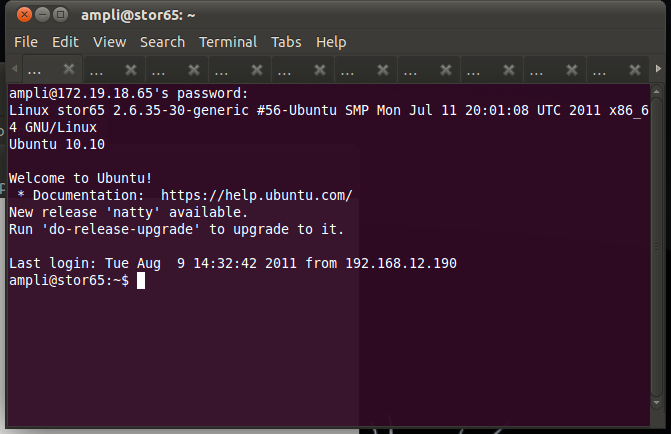
bcurtis@ronin:~$ kabouter ampli 172.19.18.65 172.19.18.96

This creates a gnome-terminal session with 32 tabs connecting to the range of SSH enabled machines. This works very well when using it with SSH Multiplexing which then gives you a way to automate remote commands through SSH without needing secure key authentication and without having to authenticate each time you want to run a command.

Download: kabouter

Wireless BCM4312 3.0 kernel

Broadcom Chipset BCM4312

With the latest 3.0 kernel there is still no "out of the box" support for my BCM4312 wireless chipset. Nor is there any help from Ubuntu 11.04 leaving me to use Broadcoms hybrid driver with patch.

Chipsets supported by "Broadcom's IEEE 802.11a/b/g/n hybrid Linux® device driver" are: BCM4311, BCM4312, BCM4313, BCM4321, BCM4322, BCM43224, and BCM43225, BCM43227 and BCM43228.
My specific chipset from lspci command:

Broadcom Corporation BCM4312 802.11b/g LP-PHY (rev 01)

Below is the error I get with v5_100_82_38 from Broadcom when compiling against Linux kernel 3.0:

bcurtis@zwartevogel:~/Downloads/wl.org$ make KBUILD_NOPEDANTIC=1 make -C /lib/modules/uname -r/build M=pwd make[1]: Entering directory /usr/src/linux-headers-2.6.38-020638-generic' LD /home/bcurtis/Downloads/wl.org/built-in.o CC /home/bcurtis/Downloads/wl.org/src/shared/linux\_osl.o CC /home/bcurtis/Downloads/wl.org/src/wl/sys/wl\_linux.o /home/bcurtis/Downloads/wl.org/src/wl/sys/wl\_linux.c: In function ‘wl\_attach’: /home/bcurtis/Downloads/wl.org/src/wl/sys/wl\_linux.c:485:3: error: implicit declaration of function ‘init\_MUTEX’ make[2]: \*\*\* Error 1 make[1]: \*\*\* Error 2 make[1]: Leaving directory/usr/src/linux-headers-3.0.0-0300rc1-generic' make: *** Error 2

To get your wireless adapter working again:

  1. Download the 32 or 64-bit version: http://www.broadcom.com/support/802.11/linux_sta.php
  2. Download my patch for > 2.6.37 support: broadcom-sta_4_kernel-2.6.38.patch
  3. Extract the sources: cd ~/Downloads; mkdir -p wl; cd wl; tar xf ../hybrid-portsrc*-v5_100_82_38.tar.gz
  4. Patch the sources, compile and install: patch -p1 < ../broadcom-sta_4_kernel-2.6.38.patch make; sudo make install; sudo depmod; sudo modprobe wl

Give Ubuntu a few seconds after loading the "wl" kernel module, then eventually the Network Manager will start looking for wireless networks.

Ubuntu 11.04 Natty with fglrx and 2.6.39

glxgears

Natty (11.04) users can finally get fglrx playing nicely together with X.org 1.10. We can also make the latest driver work well with the 2.6.39 kernel.

Custom build procedure:

  1. Install the latest 2.6.39 kernel revision from Ubuntu Mainline or install the PPA.
  2. Download 64-bit 11.4.
  3. Extract the files from the package: sh ./ati-driver-installer-11-4-x86.x86_64.run --extract ati
  4. For 2.6.39 support, download this extra patch: 2.6.39_bkl.patch
  5. Check for Big Kernel Lock usage: cat /lib/modules/`uname -r`/build/.config | grep -c CONFIG_BKL=y If the result of this command is 0, then download no_bkl.patch as well.
  6. then apply them: cd ati; for i in ../*.patch; do patch -p1 < $i; done
  7. Build your new ati/fglrx deb packages: ./ati-installer.sh 8.841 --buildpkg Ubuntu/natty
  8. Install our newly created deb packages: sudo dpkg -i ../fglrx*.deb
  9. If your /etc/X11/xorg.conf is missing you will need to run: sudo aticonfig --initial and then reboot.

That newly created package should work for the entire 2.6.39 series.

Ubuntu 2.6.39 kernel and fglrx 8.831

glxgears

For those 10.10 Maverick users with 2.6.38 or 2.6.39 (64-bit) kernels, you can get fglrx playing nicely together with X.org 1.9.

Unfortunately this new driver does not support X.org 1.10 and that leaves 11.4 users to use the open-source drivers.

Custom build procedure:

  1. Install the latest 2.6.38 or 2.6.39 kernel revision from Ubuntu Mainline.
  2. Download 64-bit 11.3 from AMD
  3. Extract the files from the package: sh ./ati-driver-installer-11-3-x86.x86_64.run --extract ati
  4. For 2.6.38 and up, download these patches: makefile_compat.patch and 2.6.38_console.patch
  5. For 2.6.39 support, download this additional patch: 2.6.39_bkl.patch
  6. Check for Big Kernel Lock usage: cat /lib/modules/`uname -r`/build/.config | grep -c CONFIG_BKL=y If the result of this command is 0, then download no_bkl.patch as well.
  7. then apply them: cd ati; for i in ../*.patch; do patch -p1 < $i; done
  8. Build your new ati/fglrx deb packages: ./ati-installer.sh 8.831 --buildpkg Ubuntu/maverick
  9. Install our newly created deb packages: sudo dpkg -i ../fglrx*.deb
  10. If your /etc/X11/xorg.conf is missing you will need to run: sudo aticonfig --initial and then reboot.

That newly created package should work for the entire 2.6.38 or 2.6.39 series.

Wireless BCM4312 on Ubuntu with 2.6.38 and 2.6.39 kernel

Broadcom Chipset BCM4312

My Vostro 1510 comes with an on-board wireless miniPCI card but it does not work "out of the box" with Ubuntu, even with the latest 2.6.39 kernel. The only option that works for me is the binary hybrid blob driver provided by Broadcom, but even that is out of date. They need help in order to work with 2.6.36 and upwards and I have a patch for that.

Chipsets supported by "Broadcom's IEEE 802.11a/b/g/n hybrid Linux® device driver" are: BCM4311, BCM4312, BCM4313, BCM4321, BCM4322, BCM43224, and BCM43225, BCM43227 and BCM43228.

The my exact chipset from lspci command:

Broadcom Corporation BCM4312 802.11b/g LP-PHY (rev 01)

Below is the error I get with v5_100_82_38 from Broadcom when compiling against 2.6.38 and 2.6.39:

bcurtis@zwartevogel:~/Downloads/wl.org$ make KBUILD_NOPEDANTIC=1 make -C /lib/modules/uname -r/build M=pwd make[1]: Entering directory /usr/src/linux-headers-2.6.38-020638-generic' LD /home/bcurtis/Downloads/wl.org/built-in.o CC /home/bcurtis/Downloads/wl.org/src/shared/linux\_osl.o CC /home/bcurtis/Downloads/wl.org/src/wl/sys/wl\_linux.o /home/bcurtis/Downloads/wl.org/src/wl/sys/wl\_linux.c: In function ‘wl\_attach’: /home/bcurtis/Downloads/wl.org/src/wl/sys/wl\_linux.c:485:3: error: implicit declaration of function ‘init\_MUTEX’ make[2]: \*\*\* Error 1 make[1]: \*\*\* Error 2 make[1]: Leaving directory/usr/src/linux-headers-2.6.38-020638-generic' make: *** Error 2

To get your wireless adapter working again:

  1. Download the 32 or 64-bit version: http://www.broadcom.com/support/802.11/linux_sta.php
  2. Download my patch: broadcom-sta_4_kernel-2.6.38.patch
  3. Extract the sources: cd ~/Downloads; mkdir -p wl; cd wl; tar xf ../hybrid-portsrc*-v5_100_82_38.tar.gz
  4. Patch the sources: patch -p1 < ../broadcom-sta_4_kernel-2.6.38.patch make; sudo make install; sudo depmod; sudo modprobe wl

Give Ubuntu a few seconds after loading the "wl" kernel module, then eventually the Network Manager will start looking for wireless networks.

Update: This patch and the resulting wl kernel module also works with 2.6.39 kernel series. I have updated content above to reflect this.

Infiniband on Ubuntu 10.10 Meerkat

ts

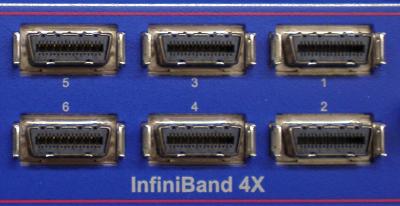
My current project that involves hundreds of mini-ITX Atom machines and we are testing the performance difference between Infiniband and Intel Gigabit NICs.

In my testing the overhead of processing TCP is too high for a dual-core Atom. There is simply not enough processing power to handle the capabilities of the Intel NICs.

A possible solution is to replace TCP by using SDP (RDMA and Zerocopy) over Infiniband. Infiniband equipment has come down significantly in price (dual port 4xSDR card for around $50), which makes it attractive to high-performance and cost-sensitive applications like mine.

In theory we can get 4xSDR speeds (8 Gigabit/s), but the tested result is 1.5 Gigabit/s speeds because of TCP processing over Infiniband. This is almost exactly the performance we achieved using the Intel NICs. We then replaced TCP with SDP over Infiniband. With the switch we saw 4.2 Gigabits/s performance on one process. With two processes, one for each core of the Atom, we saw 7.8 Gigabit/s which is close to the theoretical limit of the Infiniband NIC. It is a significant improvement over the Intel NICs. The limiting factor is number of context switches and interrupts, as a single process would take up 100 % CPU usage. By running two processes we used both cores of the Atom and the full bandwidth of Infiniband.

Unfortunately Ubuntu does not ship SDP in its kernel yet and there is no way to compile just SDP. Our only option was "to throw the baby out with the bath water" by compiling from scratch and overwriting Ubuntu's kernel modules.

Steps for a working Infiniband stack:

  1. Download OpenFabricAlliance (OFA) source package: http://www.openfabrics.org/downloads/OFED/ofed-1.5.3/OFED-1.5.3.1.tgz
  2. Extract and look into srpm directory for the kernel package: rpm2cpio ofa_kernel-*.rpm | cpio -idmv
  3. Extract it and step into the directory: tar xf ofa_kernel-.tgz; cd ofa_kernel*
  4. Configure what modules to compile: ./configure --with-sdp-mod --with-core-mod --with-ipoib-mod --with-ipoib-cm --with-iser-mod --with-mlx4_inf-mod --with-mlx4_en-mod --with-mlx4_core-mod --with-mlx4-mod --with-mthca-mod --with-addr_trans-mod --with-user_access-mod --with-user_mad-mod
  5. Compile and install modules: make; sudo make install
  6. add these to your /etc/modules file: ib_mthca ib_ipoib ib_sdp
  7. Unload all running ib_* modules then load them again or reboot. The reason for this is to make sure you no longer running Ubuntu's IB modules, which will cause symbol conflicts.

Normal TCP usage: iperf -s

To allow seamless SDP usage: LD_PRELOAD=libsdp.so iperf -s

Please note that the shared library overrides the normal creation of sockets, but if SDP cannot be negotiated, then it defaults to TCP. That is why both ends need to LD_PRELOAD libsdp.so in order for SDP to be used.

UPDATE: OFA changed their directory download directory structure and removed the stand-alone kernel source. You now have to download the whole package to get the kernel sources. Instructions are updated above.

Ubuntu 10.10 Maverick with 2.6.38 kernel and fglrx 8.812

glxgears

X-Swat has not updated their ati packages in a long time which means that Natty users and Maverick users with 2.6.38 (64-bit) cannot run with fglrx video drivers.

In order to get the latest 2.6.38 kernel and fglrx playing nicely together you will need to build these packages yourself.

Custom build procedure:

  1. Install the latest 2.6.38 kernel revision from Ubuntu Mainline.
  2. Download 11.1 from AMD
  3. Extract the files from the package: sh ./ati-driver-installer-11-1-x86.x86_64.run --extract ati
  4. Download the patch here, then apply it: cd ati; patch -p1 < ../2.6.38_console.patch
  5. Build our new ati/fglrx deb packages: ./ati-installer.sh 8.812 --buildpkg Ubuntu/maverick
  6. Install our newly created deb packages: sudo dpkg -i ../fglrx*.deb
  7. If your /etc/X11/xorg.conf is missing you will need to run: sudo aticonfig --initial and then reboot.

That newly created package should work for the entire 2.6.38 series.