Skip to content

Ubuntu

Ubuntu 10.10 Maverick with 2.6.37 kernel

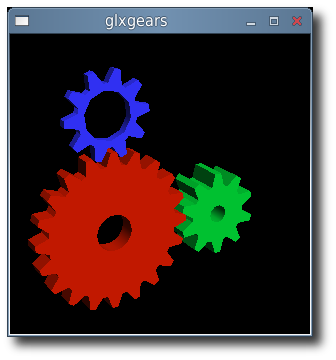
glxgears

If you want the latest (read bleeding edge) kernel that the Ubuntu developers are working, then have a look here:

Ubuntu Dev Kernels

Be sure to download the 3 files matching your architecture and install.

I am currently using 2.6.37-rc3-natty which will be the kernel that Natty Narwhal (11.04) will be based on. It just works, everything is detected and there is a noticeable increase in responsiveness.

Previously I posted about the 200~ kernel patch to increase desktop responsiveness. You do not need to wait for a new kernel or recompile one yourself to test the benefits. According to this Linux kernel mailing list: While the correct way is to implement it in kernel to be transparent to the user, you can enable it with a few quick entires in to your ~/.bashrc file. if [ "$PS1" ] ; then mkdir -m 0700 /sys/fs/cgroup/cpu/user/$$ echo $$ > /sys/fs/cgroup/cpu/user/$$/tasks fi

Then, as the superuser do this: mount -t cgroup cgroup /sys/fs/cgroup/cpu -o cpu mkdir -m 0777 /sys/fs/cgroup/cpu/user

"Done. Same effect. However: not crazy."

Thank you Lennart.

threading.Thread vs. multiprocessing.Process

The Feather or the Anvil?

First a bit of background: I was tasked with created a high level tester for my company's system. The idea is create 1 or more monkeys to pound away at the company's product for a very long time. A concurrent parallel programming project with the requirement that it needed to be compatible with 2.6.2 version of Python.

With threading, you get real posix threads (pthread) which works pretty well. They implicitly share state with the parent thread and do not use IPC or messaging. They have low latency and low overall resource footprint.

However there are drawbacks that made further development using threads a real problem. that is the use of signals. Such as threads not handling signals, working with the global interpreter lock (GIL, only one thread allowed to run at a time), and more.

This particular implementation of Python is used as a wrapper to binaries on the system, the benefit of understanding signals and passing them back to Python. The threading module simply does not like this:

failed to set child signal, error signal only works in main thread

According to the documentation:

Some care must be taken if both signals and threads are used in the same program. The fundamental thing to remember in using signals and threads simultaneously is: always perform signal() operations in the main thread of execution. Any thread can perform an alarm(), getsignal(), or pause(); only the main thread can set a new signal handler, and the main thread will be the only one to receive signals (this is enforced by the Python signal module, even if the underlying thread implementation supports sending signals to individual threads).

My hands are tied: I cannot upgrade Python, modify the execute() method being used nor can I trap the signal being sent to the thread by the execute().

There is one heavy handed solution and that is to use multiprocessing. It is almost a 1 to 1 replacement for the threading module, including the same API. However it has drawbacks in comparison to threads like: large resource footprint (big heavy process), processes do not share state and must use some form of message passing such as IPC to communicate.

If you can do this: Thread(target=func, args=(args,)).start() Then it is trivial to convert to: Process(target=func, args=(args,)).start()

There are benefits to the anvil approach however. Processes automatically run on multiple cores which helps make distributive systems easier, processes are safer to use as they do not share any state implicitly and they make high-throughput processing trivial. It has the additional benefit of not needing locks which means you get to side-step the GIL.

I managed to replace all instance with threading with multiprocesser and suddenly I am no longer in GIL hell nor having issues with handling signals in my child processes. The only downside is that we require more resources to run the same test and slower initial start-up due to process creation. No one ever said it was light weight.
xorg 1.9 versus fglrx

With the release of Ubuntu (Meerkat) 10.10 just 10 days away, the ubuntu x-swat people have been busy getting fglrx ready for release. The fglrx now compiles against latest Meerkat kernel and finally resolves the unknown symbol issue.

xswat-64

In the laptop is a ATI Mobility Radeon HD 3670 and with the latest fglrx driver usability is awful. There is horrible tearing when using "Appearance -> Visual Effects -> Normal", which had to be set back to "None" just to be usable. Even on "None", scrolling down in documents, chrome, firefox and Skype all give blurred or stuttered graphics.

These are for me "do not use" releases.

There are so far two updates. The first one gets fglrx up to date to latest Meerkat.

fglrx-installer (2:8.780-0ubuntu1) maverick; urgency=low * New upstream release. - Fix build issues with kernel fix for CVE-2010-3081 (LP: #642518). - Add compatibility with 2.6.35 kernels (LP: #573748). - Add compatibility with xserver 1.9 (LP: #630599). * Make the driver Depend on the appropriate xserver-xorg-video-$ABI (LP: #616215).

The latest update adds 2.6.36 kernel support:

fglrx-installer (2:8.780-0ubuntu2) maverick; urgency=low * debian/fglrx.postinst: - Call dpkg-trigger with "--by-package". * Add add-compatibility-with-2.6.36-kernels.patch: - Fix build issues with 2.6.36 kernels. * Add use-cflags_module-together-with-modflags.patch: - Fix build issues with kernels that don't have MODFLAGS and use CFLAGS_MODULE.

There will hopefully be more releases soon that help to resolve these issues

Ubuntu 10.10 Maverick Meerkat on Dell Studio XPS 1640

After a brief time with Karmic (10.04), the laptop was upgraded to the beta of Maverick. Everything works out of the box with no additional tricks necessary in getting the Dell Studio XPS 1640 fully functional.

ubuntu-maverick-meerakat

The only drawback I found in upgrading from Karmic was the loss of fglrx as a xorg-server driver. Maverick is shipping with the 1.9 version of xorg-server which is ABI incompatible with what fglrx is compiled against.

The exact error is: undefined symbol: savedScreenInfo which causes X not to start.

The rumour is that ATI will release a fglrx package that is compiled against 1.9 version of xorg-server when Maverick ships on Sunday, October 10th.

Compiling the fglrx against the latest kernel is also not a problem if you follow the advice found here.

This does not impact a good desktop experience with your "Visual Effects" set to "Normal". By default, Maverick ships with the latest radeon driver that xorg-server which is good enough to handle all those lovely desktop effects. I recommend this driver over fglrx because:

  • it is opensource
  • has acceptable 2d/3d performance
  • it is not a resource hog
  • the laptop will no longer burn your lap

I will continue testing against fglrx and I look forward to the final release.

Maverick Meerkat Release Schedule

UPDATE: If you have upgraded to Maverick and switched to the radeon driver after first having fglrx, you will need to purge your fglrx drivers. What happens is that X will start with the radeon driver but load your fglrx glx libraries and cause a segmentation fault or garbled screen.

To fix this: aptitude purge fglrx fglrx-amdcccle fglrx-modaliases xorg-driver-fglrx fglrx-dev

Ubuntu Karmic 9.10 on Dell Studio XPS 1640

The very first thing I did when the company I work for gave me a laptop, a Dell Studio XPS 1640, was to install Ubuntu Karmic on it. No need for windows on this thing, I plan on working, not playing.

karmic 9.10

Dell is very good about their laptops. Whenever I had a question, everything I ever needed to know about their hardware I could easily look up on the online. The 1640 is no exception with their manual. The setup:

  • Intel Core2 Duo: T7350
  • 4GB of DDR3 ram
  • Radeon Mobility HD 3670
  • RV635 Audio device
  • Intel Corporation Wireless WiFi Link 5100
  • BCM5784M Gigabit Ethernet
  • Intel 82801I (ICH9 Family) Chipset
  • Intel ICH9M/M-E SATA AHCI Controller
  • WesternDigital WD3200BJKT-7 320GB Harddriver
  • TSSTcorp DVD+/-RW TS-T633A, D600

Key Elements:

  • Ubuntu Karmic 9.10
  • typical development setup (build-essentials)
  • Skype
  • fglrx
  • Virtualbox
  • ext4 filesystem

The install happened in September 2009, but I felt it best to share what I went through before going to Ubuntu Lucid 10.04. The install itself went without a problem, everything loaded up fine. At the time, I was using the 'ati' xorg driver. I attached a separate monitor (Dell 23") and configured it using the Display Preferences tool to be one big desktop. This gets a little weird with one monitor being 1920x1080 and the laptop LCD at 1366x768 but what happens is that it creates a virtual desktop size that covers both screens with a little cut-off at the bottom (or top) of the laptop LCD screen. I wanted to switch over to the fglrx driver for it's 3D acceleration but immediately came into a problem in that my screen setup above would just not work. I hunted through forums and documentation but eventually with some guess work, I managed to get the big virtual desktop setup and fglrx to work together. Here is my modified: /etc/X11/xorg.conf

Section "Monitor"
    Identifier     "Monitor0"
    VendorName     "Unknown"
    ModelName      "DELL S2309W"
    HorizSync       30.0 - 83.0
    VertRefresh     50.0 - 76.0
    Option         "DPMS"
EndSection

Section "Monitor"
    Identifier     "Monitor1"
    VendorName     "Unknown"
    ModelName      "LCD"
    HorizSync       30.0 - 83.0
    VertRefresh     50.0 - 76.0
    Option         "DPMS"
EndSection

Section "Screen"
    Identifier  "Configured Screen Device"
    Device  "Configured Video Device"
    DefaultDepth    24
    SubSection "Display"
        Virtual 3840 2160
    EndSubSection
EndSection

Section "Module"
    Load    "glx"
EndSection

Section "Device"
    Identifier  "Configured Video Device"
    Driver  "fglrx"
    Option "AccelMethod" "exa"
EndSection

Section "ServerFlags"
    Option "RandR" "on"
EndSection>

The benefit of this setup is that I was then able to turn on compiz for a compositing windows manager. I use normal, I do not need the flashy effects. System->Preferences->Appearance->Visual Effects->Normal It worked seamlessly across the two screens and the openGL programs worked flawlessly. So there you are, everything worked out of the box on the laptop except for the ability to have an additional monitor. Even that was fixed with a bit of hacking. Aside from it's looks, it is a very nice desktop replacement. Everything just simply works.