Skip to content

Python

New releases of WorldEngine, OpenMW and TESAnnwyn
Rivers

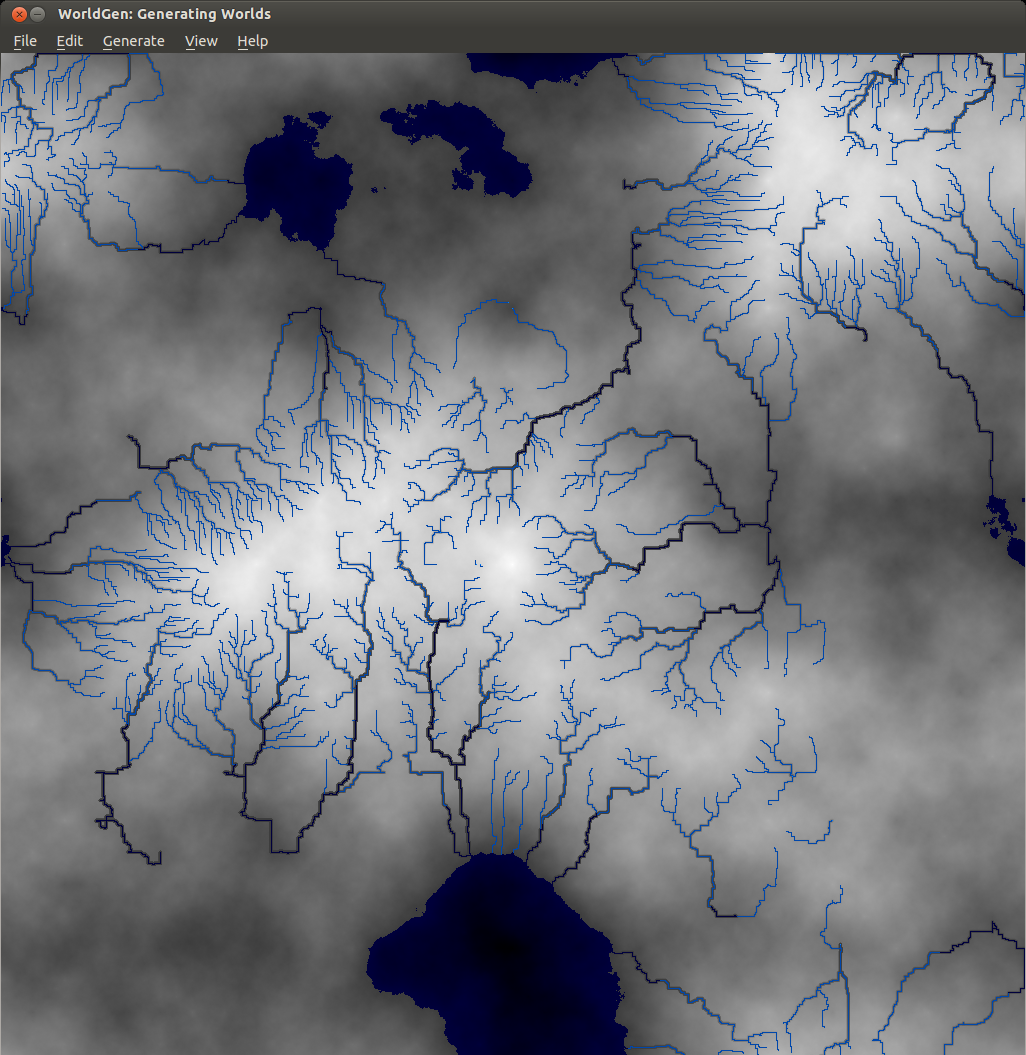
WorldEngine 0.19 has been released! In case you’re wondering, WorldEngine is the combination of two projects: Lands and WorldSynth. The biggest gain in the merge is that we’re now two developers on the same wavelength and we’ve added plate tectonic simulations! As things have become more serious and complicated, we’ve had to write tests suites to cover our bases. We’re currently about 86% code coverage and the tests guarantee reproducibility which aids us in finding regressions. We’ve got many contributions, so having these in place are crucial for project stability.

What’s new in WorldEngine 0.19:

  • Speed of generation increased by almost a factor of 3 (due to update to Platec and making heavy use of numpy).
  • World-generation is now deterministic, i.e. generation is 100% reproducible.
  • Added support for exporting heightmaps using libgdal (see http://www.gdal.org/formats_list.html for possible formats).
  • Added the ability to modify temperature and humidity ranges as well as the temperature/precipitation curve.
  • Added the ability to generate scatter plots showing temperature and humidity of all terrestrial cells.
  • Added small variations to the temperature-map based on basic orbital parameters.
  • Added a satellite-like view of the world.
  • Added support to save/load worlds in/from HDF5-format.

Exposure!

In addition to a new release, Smashing Magazine published an article that I co-authored with Federico titled “Diving Into Procedural Content Generation” which goes into detail about our motivations in creating WorldEngine (originally WorldSynth and Lands) and how by simulating real world phenomenon we can “create” realistic worlds, the results of which have been used by others for their own projects.

Speaking of own projects…

I’ve been a member of OpenMW for a while now and with the recent advances in the OpenMW-CS (construction set), it has made it possible to create your own “game” and not have to rely on Morrowind or any other Bethesda IP. In this particular case, I’ve been working on the OpenMW-Template and OpenMW-Example-Suite. The Template is fully CC-BY 3.0 and can be used by anyone wanting to have something akin to a starter kit or SDK when using OpenMW and its CS. The Example-Suite is OpenMW’s own game using the Template as a basis but going further in demonstrating what the engine can do.

One of the things I’ve been working on is getting height data (DEM) into OpenMW, such as ones created by WorldEngine. Introducing TESAnnwyn, originally open-sourced by Lightwave, I’ve been working to turn it into a library with a CLI and improving it even further by adding features and fixing bugs. The result is that you can use GDAL to convert whatever DEM you might have, into a 32-bit signed raw (ENVI) file that can be read by TESAnnwyn and converted to an ESP full of terrain data! My hope is that one day it will have Python bindings so it can be used directly by OpenMW-CS.

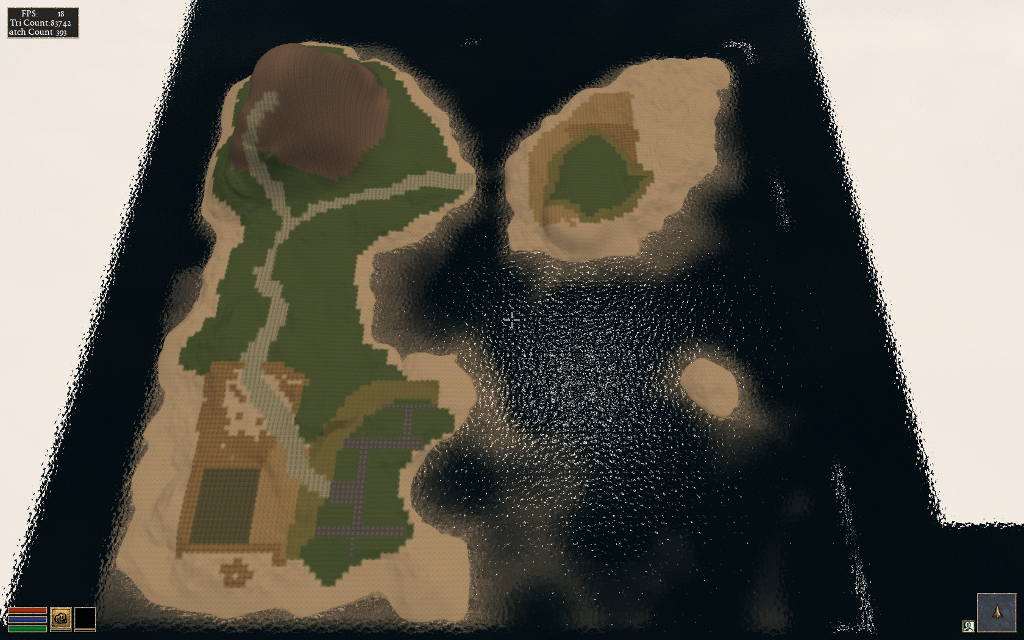
Here is an example of the result of a DEM that was reduced by 50% in terms of resolution and size running in OpenMW with all the setting cranked to max, including view distance.

https://www.youtube.com/watch?v=4LmzpdhNHds

As you can see, we’ve come a long way and many of the projects I’ve been working on are cross pollinating. There is so much left to do! If you’re interested in any of the projects, please feel free to leave a comment and/or help!
Deadlines and Timeouts for Realtime MongoDB Access with TxMongo

2000px-Twisted_Logo_(software).svg

Murphey had an adage: “Anything that can go wrong, will go wrong.” The best we can do is attempt to anticipate any problems that might come up and keep ‘the machine’ running. From an end-user perspective that means being responsive, even with errors. If there is a network error, we want to know as soon as possible with the guarantee that state of ‘the machine’ was not effected by the error.

With the release of TxMongo 15.3.1 we’ve introduced a few things that are useful when creating real-time applications.

We now have per-call deadline and timeouts!

Deadline: The latest time (in the future) by which the call should be completed. Useful when your application has a deadline to complete a task and you pass the same deadline to all MongoDB calls.

Timeout: How much time the call has to complete itself. Useful when each call in your application is allowed a certain amount of time to complete itself.

If these are ever exceeded, an error TimeExceeded is raised that you can trap. The guarantee is that when the error is raised, the call will not have modified MongoDB.

Here are two examples of how to implement these in your application:

yield conn.db.coll.insert({'x': 42}, safe=True, timeout=10)
yield conn.db.coll.insert({'x': 42}, safe=True, deadline=time()+10)

We also have additional features that will be useful as well:

  • When dealing with connection.ConnectionPool, max\_delay is now exposed which is used to set the maximum number of seconds between connection attempts. The default is set to 60.
  • When dealing with connection.ConnectionPool, initial\_delay is now exposed which is used to set the initial backoff retry delay. The default is set to 1.
  • NotMaster instead of AutoReconnect error will be returned when a call can be safely
  • Python3 support!

If you have any feature requests or problems, you can use our txmongo github issue tracker!

TxMongo - Your Asynchronous MongoDB Twisted Client

2000px-Twisted_Logo_(software).svg

We're proud to announce the release of 0.6 of TxMongo, which brings SSL support using Twisted's SSL context factory, "find with cursor" support just like PyMongo, bug fixes and updated unit tests! TxMongo is an asynchronous MongoDB client written for Twisted in Python. The biggest change is that TxMongo is now sponsored by Amplidata. Through them we were able to get development, bug fixes and Twisted first-party sponsorship online. We now have continuous integration (CI) with a wide matrix of support for py26/py27/pypy using Twisted 12.1 to 14.0 (and trunk). We also now have 78% code coverage with unit testing as a result! This is also the very last release in the 0.x series before we step over to the "year.release" model used by Twisted, it will also eventually find its way into Twisted's github organization as a first class library. You can download TxMongo 0.6.0 and other releases here: TxMongo Github Releases

What to expect We have a list of priorities:

  • Switch documentation over to sphinx for readthedocs.org supports.
  • Get TxMongo moved over to Twisted's org, with Travis-CI and Coveralls.
  • Get coverage to at least 80%.
  • Research functions found in PyMongo that are missing TxMongo.
  • Contact various TxMongo forks and gather up bugs/issues/patches from various distros.

Backstory In evaluating various options for using MongoDB with Twisted, there where two options:

  1. PyMongo
  2. TxMongo

The first option, supported by MongoDB themselves, is up to date in form of features but is synchronous and blocking. To get around this behaviour, you'll need to defer it thread. The second option is TxMongo that lacks a lot of the features of PyMongo, but is made for Twisted. Amplidata's only concern was the lack of SSL support in TxMongo, but all the main features that we needed are there. Thankfully the original author Alexandre Fiori, who is now in maintenance mode, accepted our patch. We talked a bit about the future of TxMongo and as it turns out, he is no longer developing TxMongo but he would love to give it to the community to see it furthered developed and maintained since he no longer has the time. We included Glyph of Twisted into the conversation to see about a new home, with the driving development work coming from Amplidata. The rest, is how they say, history. Example code using TxMongo and SSL First we startup mongodb:

#!/bin/bash
# create the path
mkdir -p /tmp/mongodb
# start mongodb process
mongod --dbpath /tmp/mongodb --sslMode requireSSL --sslPEMKeyFile mongodb.pem

Second we run this code:


from OpenSSL import SSL from txmongo.connection import ConnectionPool from twisted.internet import defer, reactor, ssl

class ServerTLSContext(ssl.DefaultOpenSSLContextFactory): def init(self, args, kw): kw['sslmethod'] = SSL.TLSv1_METHOD ssl.DefaultOpenSSLContextFactory.init(self, args, **kw)

@defer.inlineCallbacks def example(): tls_ctx = ServerTLSContext(privateKeyFileName='./mongodb.key', certificateFileName='./mongodb.crt') mongodb_uri = "mongodb://localhost:27017"

mongo = yield ConnectionPool(mongodb_uri, ssl_context_factory=tls_ctx)

foo = mongo.foo  # `foo` database
test = foo.test  # `test` collection

# fetch some documents
docs = yield test.find(limit=10)
for doc in docs:
    print doc

if name == 'main': example().addCallback(lambda ign: reactor.stop()) reactor.run()


Enterprise all your Twisted applications with Ldaptor

2000px-Twisted_Logo_(software).svg

We're proud to announce the release of 14.0.0 of Ldaptor, now a first party Twisted project! Ldaptor is an asynchronous LDAP (Lightweight Directory Access Protocol) client and server implementation written for Twisted in Python. The biggest change is that Ldaptor is now sponsored by Amplidata. Through them we were able to get development, bug fixes and Twisted first-party sponsorship back online. We now have continuous integration (CI) with a wide matrix of support for py26/py27/pypy using Twisted 12.1 to 14.0 (and trunk). We also have about 75% code coverage with unit testing! You can download 14.0.0 and other releases here: Ldaptor Github Releases For a full review of what has changed, feel free to take a look at our live documentation over at ReadTheDocs: Ldaptor Documentation and the Changelog itself. Backstory That is quite a jump from the last official release of 0.0.43 back in 2012 and from all the unofficial forks that have popped up to fill the void in between. Here is a bit of back story on how we got to where we are now. It was originally written and carried by Tommi Virtanen until 2012, since then Ldaptor was forked many ways to solve various problems and each distro of Linux and BSD had their own patches building up dust. In the spring of 2014, an internal project at Amplidata required an OpenLDAP client for their Twisted services and the only one that offered the most promise was Ldaptor. We got in touch with Tommi (tv42) and Glyph of Twisted to work out an arrangement where Amplidata would sponsor continued work on Twisted, Tommi would re-license Ldaptor under the MIT Expat License and it would be hosted as a first party library with Twisted. Since then we've consolidated the bug-fixes of other forks and distributions, improved the unit tests, cleaned up the code-base and managed to recover the PyPI Ldaptor entry. Once Travis was all green, we made our first release 14.0 (on Halloween) and are now seeing development picking up with pull requests for more tests and features! Usage and Example This particular example also includes how to connect to OpenLDAP with StartTLS. This particular feature is critical to Amplidata and there isn't any Ldaptor information about it. Now there is!


from OpenSSL import SSL from twisted.internet import reactor, defer, ssl from ldaptor.protocols.ldap import ldapclient, ldapsyntax, ldapconnector

class ServerTLSContext(ssl.DefaultOpenSSLContextFactory): def init(self, args, kw): kw['sslmethod'] = SSL.TLSv1_METHOD ssl.DefaultOpenSSLContextFactory.init(self, args, **kw)

@defer.inlineCallbacks def example(): serverip = '192.168.128.21' basedn = 'dc=example,dc=com' binddn = 'bjensen' bindpw = 'secret' ssl = True query = '(cn=*)' c = ldapconnector.LDAPClientCreator(reactor, ldapclient.LDAPClient) overrides = {basedn: (serverip, 389)} client = yield c.connect(basedn, overrides=overrides)

# do you want SSL/TLS, then you need to create a context for startTLS
if ssl:
    tls_ctx = ServerTLSContext(
        privateKeyFileName='your.key',
        certificateFileName='your.crt'
    )
    yield client.startTLS(tls_ctx)

yield client.bind(binddn, bindpw)
o = ldapsyntax.LDAPEntry(client, basedn)
results = yield o.search(filterText=query)
for entry in results:
    print entry

if name == 'main': df = example() df.addErrback(lambda err: err.printTraceback()) df.addCallback(lambda _: reactor.stop()) reactor.run()


The above should work as-is, but you'll need to change the IPs, basedn, binddn, certs and keys. If you don't need SSL/TLS, then just ssl to False and you should be ready to go!

Worldsynth 0.11.0 released

Rivers

Worldsynth version 0.11.0 is released and can be found on github.

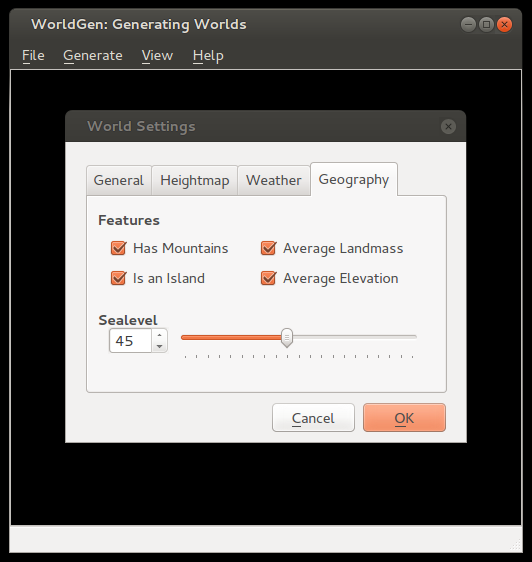
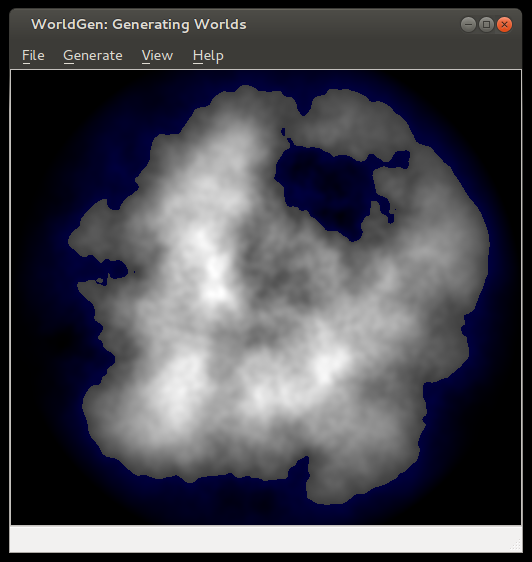
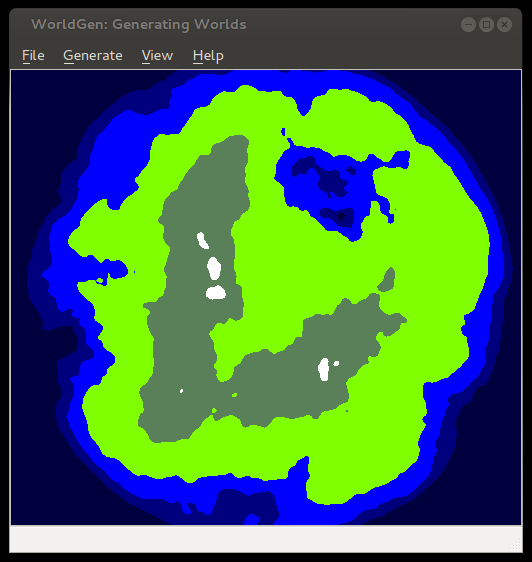
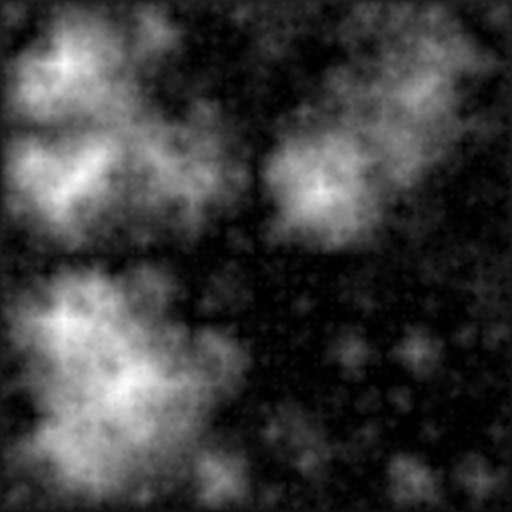
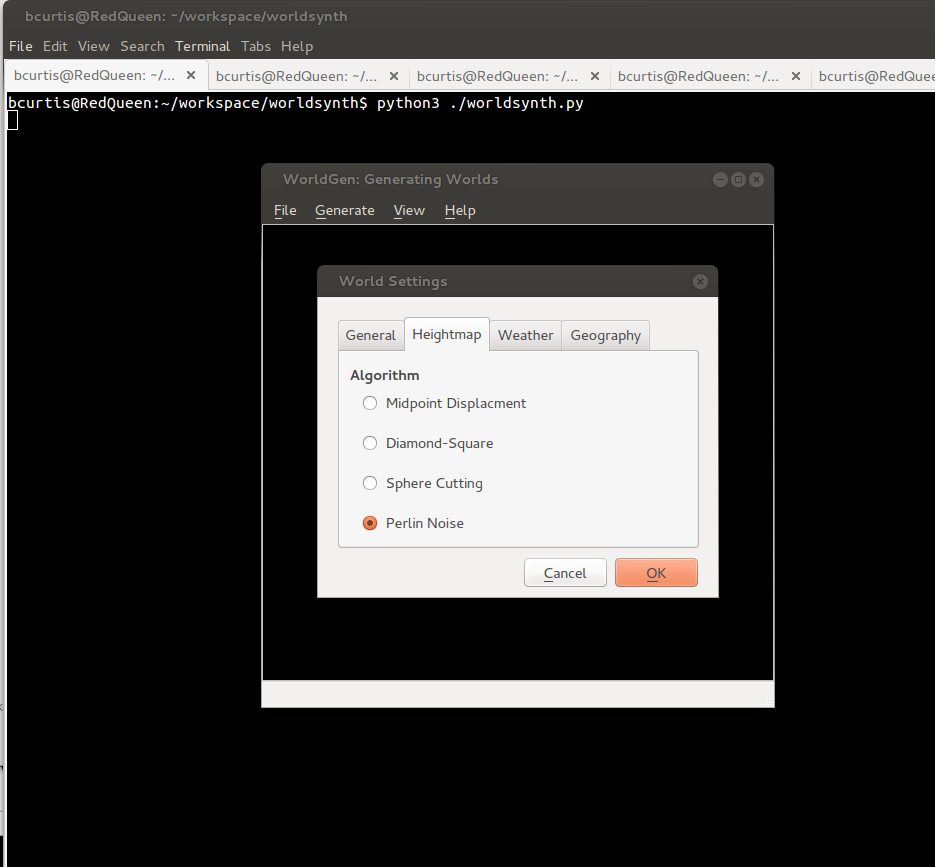
In this release we've added an additional algorithm for heightmap generation based on Ken Perlin's work in noise generation. We decoupled the sea-level to be configurable based on percentage, which in addition to masks we can now create islands. You can also save your world and open it up later since we use pytables to store our settings, metadata and our data in an open hdf5 format. You can also export your heightmap in 16-bit PNG greyscale or even import from a wide array of images formats as a heightmap. Importing from an image creates a 16-bit precision greyscale heightmap. In addition to this, one commenter ask about Python3 support, well now you have it.

The immediate future of Worldsynth has the following: fluvial erosion, better river erosion, better river flow/snaking and editing properties of world.

Here are some screenshots of some of the latest features:

noise

options

island

seaLevel

elevation

Worldsynth 0.10.0 released

Rivers

Worldsynth version 0.10.0 is released and can be found on github. This is our first "official" release in which the result should work, out of the box, with a usable and familiar GUI instead of the pygame environment. This is provided by Qt4 via PySide. We have even tested Worldsynth on Windows XP to validate that it is indeed cross platform.

As for 0.11.0, we are looking to unlock size of terrain to be of any variable width and height instead of the basic power of two. We are also investigating fluvial erosion.

Here is a demo of the latest release: https://www.youtube.com/watch?v=xgxS1MpVBeY

Some of the things changed in this release are:

Improved our just-in-time library loading so that only libraries are loaded as needed and were needed. This also helped to reduce the number of dependencies necessary for running Worldsynth.

We implemented an erosion model so that we can use it as an overlay over the original heightmap.

There is also now an overflow flag that treats the terrain generated as one that wraps. Rivers, for example, can flow off edges of maps, overflow into other side. This make the world seamless and one step closer to being able to wrap the terrain to a globe and having a world.

We also have a demonstration of Worldsynth running on Windows. https://www.youtube.com/watch?v=QaHid9-etzo

Here are the files and libraries necessary to run Worldsynth on Windows:

Introducing worldsynth for your world generation and building needs

Rivers

After many years of development in my spare time, I've decided to release Worldsynth as a Free and Open Source Software. As a world generator, it fills the roll and can also be rapidly extended to support additional features. The source might not be of top quality, but the main purpose of creating it has been fulfilled and I want to share it. I only hope that others will find it useful and want to build upon it.

There is still much more functionality that I would like add and additional polishing to the user interface. Midway through I switched from pygame to pyside or Qt4 for the GUI. I consider it ready for "Alpha" at this point, meaning there might be bugs and few experimental features that may break but otherwise usable.

What we have so far:

  • Heightmap - What we have so far is the ability to create a heightmap using three different methods: midpoint displacement, sphere slicing and diamond square. Each have their advantages and disadvantages depending on the type of terrain map you desire.
  • Heatmap - Based on the heightmap we generate a heatmap to get our temperature range across the terrain, either full equatorial or picking between northern or southern hemispheres.
  • Weather - There is wind and precipitation that are heavily influenced by the contours of the terrain. This includes rain shadows from mountains and average rainfall based on wind direction.
  • Drainage - The drainage dictates how fast the water is absorbed by the terrain. This has in impact on the type of geology that is there such as soft ground good for farming or hard stone that water just flows over with little erosion.
  • Rivers - With the rain water that collects when falling down the mountains and hills of the terrain, at a certain point to form streams that collect further into rivers. It flows either out to sea or collects into a depression of the terrain. This also has an impact on erosion on the terrain.
  • Biomes - With all the layers above we can then synthesize biomes which give a sort of realistic habitation zones that we find in real life.

Media: I've made films of older versions Worldsynth to give an idea of what is possible. The GUI has since changed from pygame as of version 0.8 to pyside in version 0.9, but the main features haven't changed. The follow video demostrates all the major features talked about above. http://www.youtube.com/watch?v=INfN3IXwwzg

The next video is older but still gives another demonstration. http://www.youtube.com/watch?v=Sixm7dd9klY

Outside interest: Other projects have already taken an interest in Worldsynth and have used the results for building their own worlds. OpenMW is a FOSS remake of the Morrowind game engine that will let you play Morrowind on multiple platforms. They are also working on a OpenCS which will be better than the Morrowind Construction Set, win parallel with an OpenES or "Example Suite" that will allow anyone to use OpenMW without having to own Morrowind.

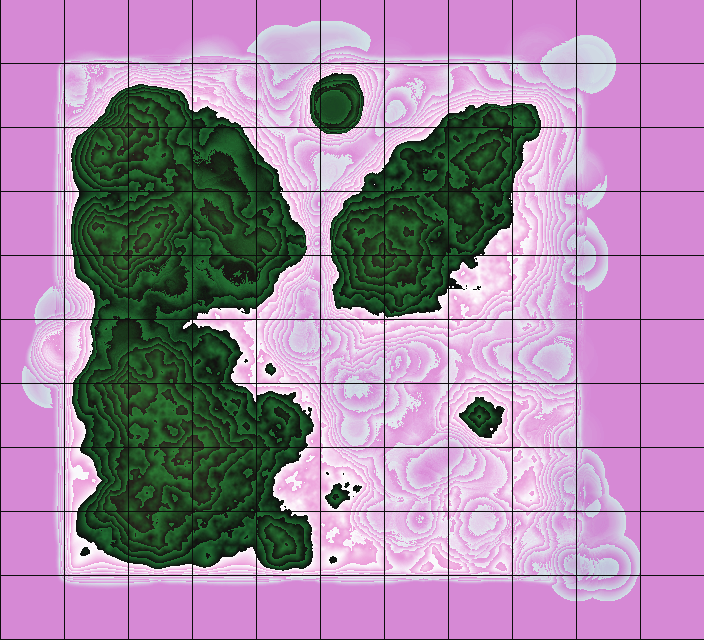
They first had to generate a heightmap that fit their requirements, three relatively big islands in a 512x512 map.

OpenMW Heightmap

Landscape

Once they had a heightmap that they could work with, they did a test conversion into an usable ESM for OpenMW. They used a tool made by Lightwave called TESAnnwyn which allow for the creation of an ESM using the heightmap. I've talked with Lightwave about open-sourcing his work, and he replied that it would love to but first needs to clean it up. He did provide Linux 32 and 64 bit versions of TESAnnwyn that I'm allowed to host until he can get around to it. tesannwyn_linux.tar

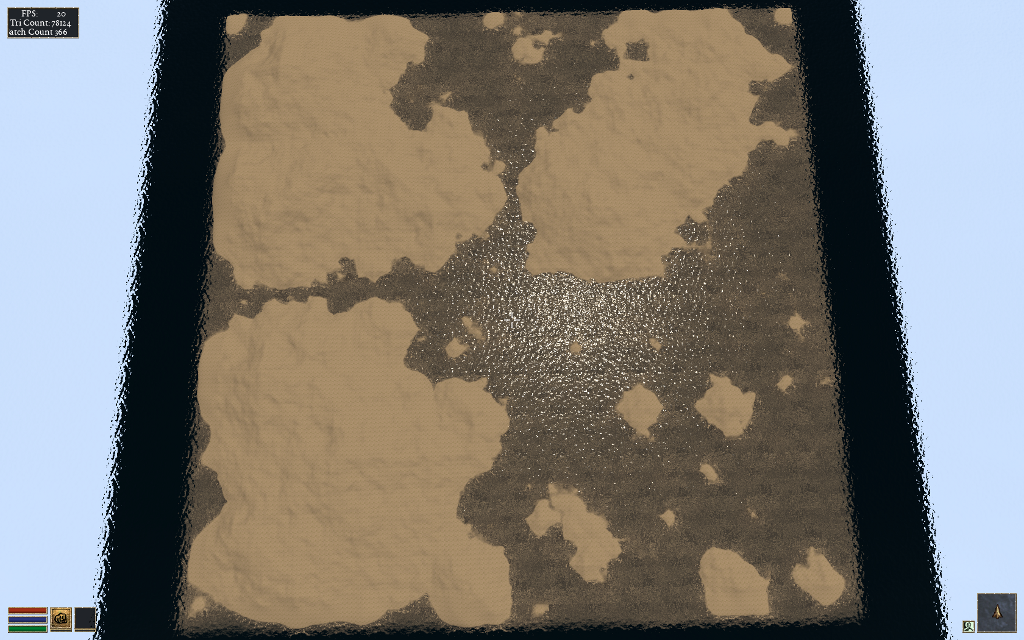
The result is a success!

Import of Heightmap Works

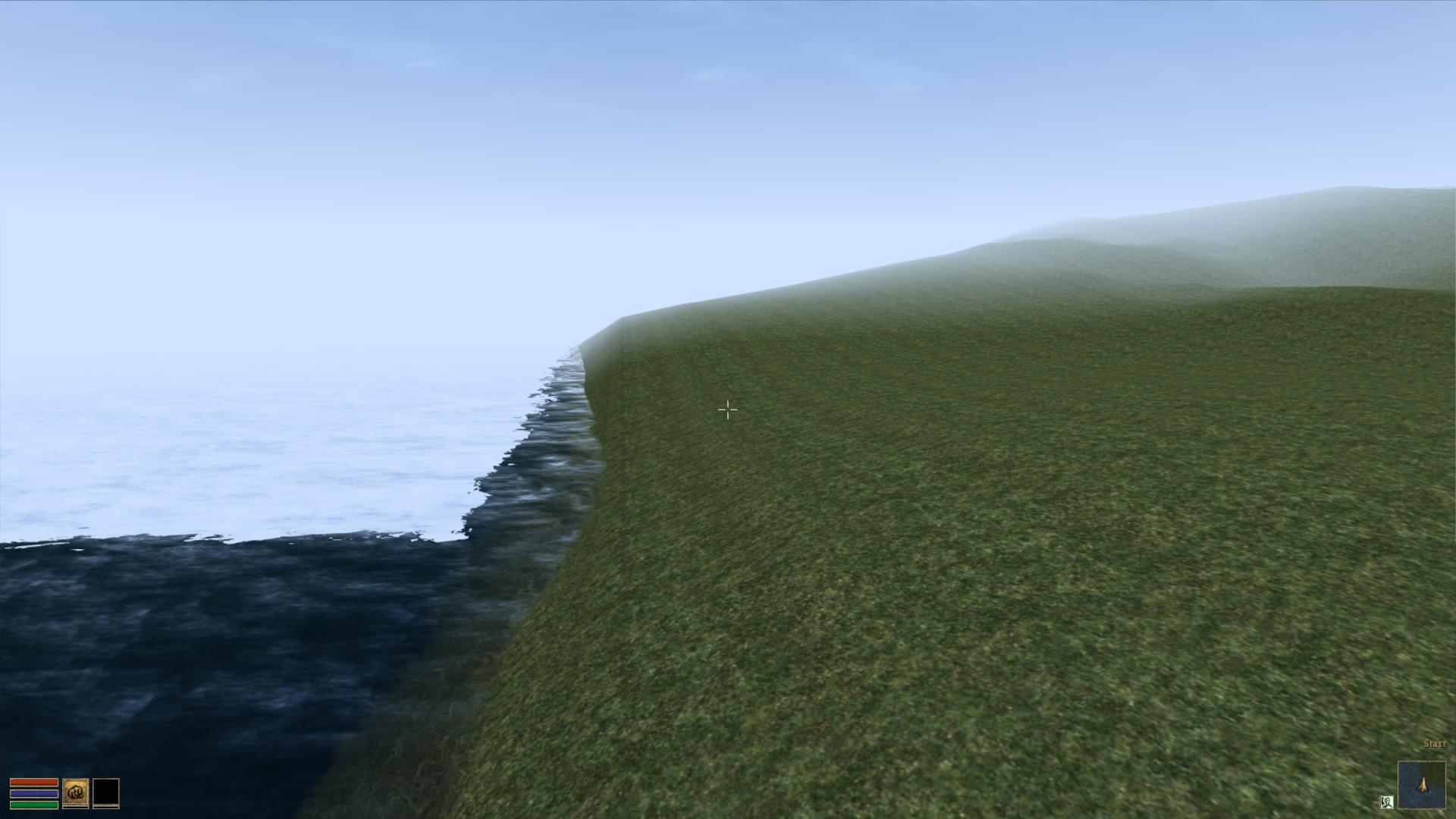
Raw Heightmap in OpenMW

With this they can plan out what they want to do and where things should go before editing.

Landscape and Overview

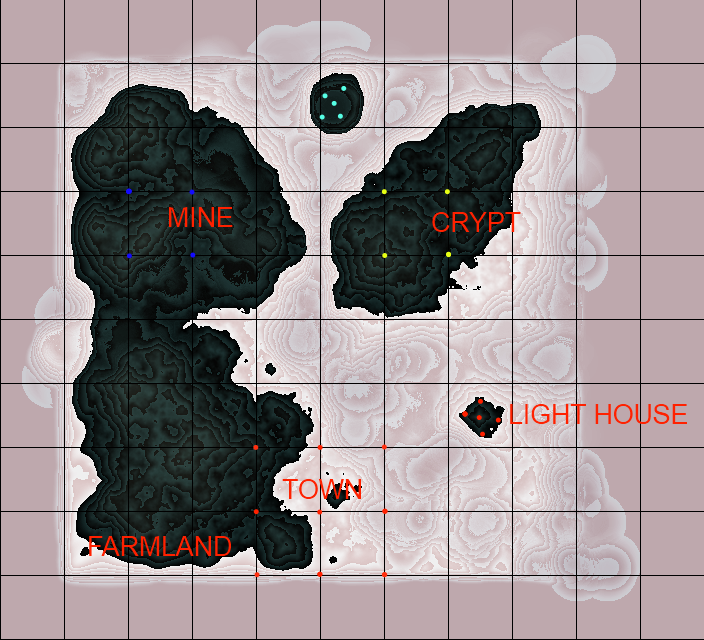
The ESM was put into the editor to mold their new world. I would love to add some of that very functionality into Worldsynth. The result of their modeling is this.

Demo of edited Heightmap

They are still building and creating, but this drop in replacement for Morrowind (Example Suite) is coming along fine. You can have a look for yourself as they provided me with a demo ESM you can use. Place OpenMW.esm in your "Data Files" directory next to Morrowind.bsa. Rename Morrowind.esm so that it is out of the way and copy OpenMW.esm to Morrowind.esm. With OpenMW, use the launcher and select OpenMW.esm in the "Data Files" tabs. Close the Launcher then on the command line type this: openmw --start="Town, Centre" Once in, hit f2 to open the console and set your speed so you can fly around and view the work that is going on with the Example Suite. player->setspeed 500

This is very good for moral here as people are actually using Worldsynth for their own projects. It is possible that they will ship it with their OpenCS or at least link against it for their heightmap generation needs.

threading.Thread vs. multiprocessing.Process

The Feather or the Anvil?

First a bit of background: I was tasked with created a high level tester for my company's system. The idea is create 1 or more monkeys to pound away at the company's product for a very long time. A concurrent parallel programming project with the requirement that it needed to be compatible with 2.6.2 version of Python.

With threading, you get real posix threads (pthread) which works pretty well. They implicitly share state with the parent thread and do not use IPC or messaging. They have low latency and low overall resource footprint.

However there are drawbacks that made further development using threads a real problem. that is the use of signals. Such as threads not handling signals, working with the global interpreter lock (GIL, only one thread allowed to run at a time), and more.

This particular implementation of Python is used as a wrapper to binaries on the system, the benefit of understanding signals and passing them back to Python. The threading module simply does not like this:

failed to set child signal, error signal only works in main thread

According to the documentation:

Some care must be taken if both signals and threads are used in the same program. The fundamental thing to remember in using signals and threads simultaneously is: always perform signal() operations in the main thread of execution. Any thread can perform an alarm(), getsignal(), or pause(); only the main thread can set a new signal handler, and the main thread will be the only one to receive signals (this is enforced by the Python signal module, even if the underlying thread implementation supports sending signals to individual threads).

My hands are tied: I cannot upgrade Python, modify the execute() method being used nor can I trap the signal being sent to the thread by the execute().

There is one heavy handed solution and that is to use multiprocessing. It is almost a 1 to 1 replacement for the threading module, including the same API. However it has drawbacks in comparison to threads like: large resource footprint (big heavy process), processes do not share state and must use some form of message passing such as IPC to communicate.

If you can do this: Thread(target=func, args=(args,)).start() Then it is trivial to convert to: Process(target=func, args=(args,)).start()

There are benefits to the anvil approach however. Processes automatically run on multiple cores which helps make distributive systems easier, processes are safer to use as they do not share any state implicitly and they make high-throughput processing trivial. It has the additional benefit of not needing locks which means you get to side-step the GIL.

I managed to replace all instance with threading with multiprocesser and suddenly I am no longer in GIL hell nor having issues with handling signals in my child processes. The only downside is that we require more resources to run the same test and slower initial start-up due to process creation. No one ever said it was light weight.