
Skip to content

Code

Using Qemu and Chroot to replace your cross-compile toolchain

RaspberryPi Logo

Awhile back I wrote about how you can set up a cross-compile toolchain for compiling on x86_64 with the Raspberry Pi as a target. There is another, perhaps easier way to do the same thing by using Qemu 2.0 as your backend.

By installing and enabling Qemu support, you can run code compiled for another architecture (that is supported by Qemu) on your native machine. You can then create a Chroot environment, perhaps similar to what you have on your Raspberry Pi, and run it as if it was natively.

You can verify support by checking for the availability of the aarch64 interpreter:
# update-binfmts --display | grep -i aarch qemu-aarch64 (enabled): interpreter = /usr/bin/qemu-aarch64-static

First you’ll need to set up your locales on your host:
You’ll need to configure locales so your Qemu Chroots have access to them. Otherwise, you will have to configure each Chroot’s locale individually.

# From the host sudo dpkg-reconfigure locales

Secondly you’ll need to install the necessary packages:
This includes qemu, Chroot and binfmt support
# From the host sudo apt-get install qemu qemu-user-static binfmt-support debootstrap

Thirdly we create the Chroot.
This uses debootstrap to create the Chroot environment. In the command below, the Chroot will be named debian-arm64. You can change it to suit your taste.

From the host

sudo qemu-debootstrap –arch=arm64 –keyring /usr/share/keyrings/debian-archive-keyring.gpg \
–variant=buildd –exclude=debfoster stretch debian-arm64 http://ftp.debian.org/debian

I: Retrieving Release
I: Retrieving Release.gpg
I: Checking Release signature

Fourthly we step into Chroot
Lastly before it’s usable we’ll setup the guest environment.

# From the host sudo chroot debian-arm64/

apt-get install debian-ports-archive-keyring

apt-get install locales build-essential git curl cmake # and etc.

Lastly…
The sky is the limit, you have your own chroot using binaries compiled for another arch. Clone your git repo, run cmake, install deps as necessary and run make to compile. The resulting binaries should run just fine on your RPi3.

WildMIDI 0.4 is here with support for other formats!

WildMIDI

WildMIDI 0.4 is released!

It has been two years in development and we’ve pushed WildMIDI 0.4 beyond just MIDI support, we’ve branched out into MIDI like files as well. We’ve worked together with other projects like GStreamer, OpenTESArena, XLEngine (DaggerXL), Thirdeye, ZDoom and more to ask what we can do to make their lives easier, as a result we now support rendering, streaming and playback of many older MIDI-like formats!

What’s new in this release

We’ve added support for KAR (MIDI with Karaoke) files, MIDI Type 2 and many MIDI-like formats such as HMI, HMP, MUS (Id) and XMI! We’ve also expanded our API in libwildmidi to support getting text/karaoke out of files, seeking songs in multi song MIDI Type 2, get errors instead of having a noisy library, setting conversion options, converting MIDI-like files into MIDI files and library now returns a buffer in the Endian format of the host.

You’ll want to re-experience old game soundtracks:

You probably still remember the soundtracks of your favorite games in their original OPL2, OPL3 or even MT32 glory, but now you’ll get to experience via a softsynth. Real guitars thrashing away on Doom’s opening anthem from e1m1 hangar or relax to the ambient Daggerfall soundtrack rendered by an orchestra. Here is a non-complete list of games that WildMIDI can use their native file formats to play back:

  • 1992-03-?? XMI Ultima Underworld: The Stygian Abyss
  • 1992-04-16 XMI Ultima VII: The Black Gate
  • 1992-05-?? XMI The Legend of Kyrandia: Book One
  • 1992-12-?? XMI Dune II: The Building of a Dynasty
  • 1992-??-?? XMI Eye of the Beholder III: Assault on Myth Drannor
  • 1992-??-?? XMI Battle Chess 4000
  • 1992-??-?? XMI The Dark Queen of Krynn
  • 1992-??-?? XMI Tetris Classic
  • 1993-12-10 MUS Doom
  • 1993-12-?? XMI Isle of the Dead
  • 1993-??-?? XMI Dungeon Hack
  • 1993-??-?? XMI The Legend of Kyrandia: Book Two – Hand of Fate
  • 1993-??-?? XMI The Seven Cities of Gold
  • 1993-??-?? XMI SimCity 2000
  • 1993-??-?? XMI SimFarm
  • 1993-??-?? XMI Wayne’s World
  • 1994-04-01 MUS Raptor: Call of the Shadows
  • 1994-05-06 HMP Magic Carpet
  • 1994-09-23 XMI System Shock
  • 1994-10-10 MUS Doom II: Hell On Earth
  • 1994-11-19 XMI U.S. Navy Fighters
  • 1994-12-23 MUS Heretic: Shadow of the Serpent Riders
  • 1994-12-?? HMP Wing Commander III: Heart of the Tiger
  • 1994-??-?? XMI The Settlers
  • 1994-??-?? HMP Sensible Golf
  • 1995-03-17 HMP Descent
  • 1995-08-?? HMP Abuse
  • 1995-09-30 MUS Hexen: Beyond Heretic
  • 1995-10-30 HMP Whiplash (a.k.a. Fatal Racing)
  • 1995-??-?? XMI Hi Octane
  • 1995-??-?? HMI The Terminator: Future Shock
  • 1996-03-13 HMP Descent II
  • 1996-03-31 XMI ATF: Advanced Tactical Fighters
  • 1996-05-15 MUS Strife
  • 1996-08-31 HMI Daggerfall
  • 1996-08-31 XMI The Settlers II
  • 1996-11-30 XMI Rex Blade: The Battle Begins
  • 1996-??-?? HMP Astérix & Obélix
  • 1996-??-?? HMI The Terminator: SkyNET
  • 1997-06-30 HMI Carmageddon
  • 1997-07-15 HMI X-COM Apocalypse

Head on over to Videogame Music Preservation Foundation track down your nostalgia!

What others have been up to:
It seems that WildMIDI has been webified, over at Wild Web Midi you can give them your MIDI file and they will stream or give you the resulting rendered file! You can look at their source code here: wild-web-midi github account.

Great job guys!

What to look forward to…:

We would like to of course support more formats! So far on our list are: MMF, RMI, RDL, CMF, DRO, IMF and RDos.

Additional features also include SF2 and DLS support to help expand WildMIDI’s softsynth ability. There is also OPL3 emulation also known as a backup soundfont generator.

Support for AmigaOS and OpenBSD are also coming.

As was mentioned already, we’ve reached out to a few project to ask if there was anything we could help them with and now we want to extend that invitation to everyone. So if there is something you think WildMIDI should be supporting, let us know!

That’s it for this release, it was a huge and long one in coming. Now that the heavy lifting has finished, we can get back to smaller updates and shorter release cycle.

WildMIDI Resources:
Release: WildMIDI 0.4
Issues: WildMIDI Issue Tracker

Cross-compiling for Raspberry Pi on Ubuntu

RaspberryPi Logo

While the Raspberry Pi 2 has four cores to churn through code, it still takes longer to compile than on most workstations and laptops. If you are feeling adventurous, you can try cross-compiling which has become easier to set up and get working. Cross-compiling is when binaries created are for another target architecture than the one you are compiling on. This kind of set up is very typical when creating Android applications. The end result is that you can take the resulting binary and place on its target platform, and it will run there. There are even tricks to getting the cross-compiled binary to also run on your native system! In this guide, I'll walk you through:

  • Setting up a cross-compile toolchain in Ubuntu (15.04 Vivid)
  • Setting up the proper exports
  • Compiling a test program for your native and target armhf platform
  • Compiling the latest Raspberry Pi 2 kernel with VC4 support.

The first thing we need to do is set up your Ubuntu to be able to compile software for a Raspberry Pi (1 and 2). You'll need at least Ubuntu Vivid (15.04) installed. From there, you'll need to install the following packages.

sudo apt-get install binutils-arm-linux-gnueabihf \
cpp-4.9-arm-linux-gnueabihf \
cpp-arm-linux-gnueabihf \
g++-4.9-arm-linux-gnueabihf \
g++-4.9-multilib-arm-linux-gnueabihf \
g++-arm-linux-gnueabihf \
gcc-4.9-arm-linux-gnueabihf \
gcc-4.9-arm-linux-gnueabihf-base \
gcc-4.9-multilib-arm-linux-gnueabihf \
gcc-arm-linux-gnueabihf \
pkg-config-arm-linux-gnueabihf \
binutils-arm-linux-gnueabihf \
cmake \
cpp-4.9-arm-linux-gnueabihf \
cross-gcc-dev \
dpkg-cross \
g++-4.9-arm-linux-gnueabihf \
g++-4.9-multilib-arm-linux-gnueabihf \
gcc-4.9-arm-linux-gnueabihf \
gcc-4.9-arm-linux-gnueabihf-base \
gcc-4.9-multilib-arm-linux-gnueabihf \
libasan1-armhf-cross \
libatomic1-armhf-cross \
libc6-armel-armhf-cross \
libc6-armel-cross \
libc6-armhf-cross \
libc6-dev-armel-armhf-cross \
libc6-dev-armel-cross \
libc6-dev-armhf-cross \
libdebian-dpkgcross-perl \
libfile-homedir-perl \
libgcc-4.9-dev-armhf-cross \
libgcc1-armhf-cross \
libgomp1-armhf-cross \
libsfasan1-armhf-cross \
libsfatomic1-armhf-cross \
libsfgcc-4.9-dev-armhf-cross \
libsfgcc1-armhf-cross \
libsfgomp1-armhf-cross \
libsfstdc++-4.9-dev-armhf-cross \
libsfstdc++6-armhf-cross \
libsfubsan0-armhf-cross \
libstdc++-4.9-dev-armhf-cross \
libstdc++6-armhf-cross \
libubsan0-armhf-cross \
linux-libc-dev-armhf-cross \
pdebuild-cross \
xapt \

The last package in the list is xapt, a wrapper around apt so that we can install packages specifically for other architectures like armhf. This includes things like *-dev packages with headers which will likely be required if you compile other software. Once those are installed, you need to tell the terminal you are targeting the armhf architecture. The CROSS_COMPILE flag will make your toolchain (gcc and friends) and your software aware that you are using a cross-compiler.

export $(dpkg-architecture -aarmhf) 
export CROSS_COMPILE=arm-linux-gnueabihf-

You might get this warning:

dpkg-architecture: warning: specified GNU system type arm-linux-gnueabihf does not match gcc system type x86_64-linux-gnu, try setting a correct CC environment variable

This message is harmless and you can ignore it. Now to test this, create a file called main.c and copy this Hello World code into it.

#include <stdio .h>
#include <stdlib .h>

int main(int argc, char **argv)
{
    printf("Hello world\
");
}

You'll then compile it twice, first natively and second for your target platform.

gcc -o hello_x86 main.c -static
arm-linux-gnueabihf-gcc -o hello_arm main.c -static

You can then use file to test the resulting output and it should match below:

bcurtis@Redqueen:~/workspace/RPi$ file hello_x86 hello_x86: ELF 64-bit LSB executable, x86-64, version 1 (GNU/Linux), statically linked, for GNU/Linux 2.6.32, BuildID=217c28644cf5be3ea4d24bea79c3da3bbdd9a2a9, not stripped bcurtis@Redqueen:~/workspace/RPi$ file hello_arm hello_arm: ELF 32-bit LSB executable, ARM, EABI5 version 1 (GNU/Linux), statically linked, for GNU/Linux 2.6.32, BuildID=3a5e42174d6b72ddf8b0265a9b76b3cea0668623, not stripped

Notice how the last one is ARM, EABI5 version 1, this indicates that the binary is compiled for armhf, your Raspberry Pi. Next we are going to try to run them:

bcurtis@Redqueen:~/workspace/RPi$ ./hello_x86 Hello world bcurtis@Redqueen:~/workspace/RPi$ ./hello_arm Hello world

You might asking you how the hello_arm binary can run on an x86 system. This is thanks to -static flag during compilation that shoves all the required libraries into your binary. The ones that you included are specifically crafted multi-libs that can used on both your host and your target platform (both x86 and arm). The resulting binaries are larger as a result. You can remove the -static flag and see that it will no longer run on your host machine, but much smaller and will run on your target RPi2. Aiming higher, we will try to get Linux kernel built using Eric Anholt's VC4 branch. Go ahead and checkout Eric's branch: https://github.com/anholt/linux/tree/vc4-kms-v3d-rpi2

git clone [email protected]:anholt/linux.git -b vc4-kms-v3d-rpi2 --depth 10
cd linux
export $(dpkg-architecture -aarmhf); export CROSS_COMPILE=arm-linux-gnueabihf-
make ARCH=arm -j`nproc` bcm2709_defconfig
make ARCH=arm -j`nproc`

It will spawn a number of processes in parallel, nproc will return back how many cores you have. After a few minutes of tea sipping, you'll have your newly minted arch/arm/boot/zImage that you can then copy over to your sdcard. Take a moment to make sure your setup.cfg is pointing to the right kernel, then give it a try. You should now have your RPi2 online with Linux 4.0! Please note, at the time of this post, while the option to compile in VC4 support is there, it currently isn't functioning. Eric is still busy getting RPi2 back to the same state as the original RPi. Cheers!

TxMongo - Your Asynchronous MongoDB Twisted Client

2000px-Twisted_Logo_(software).svg

We're proud to announce the release of 0.6 of TxMongo, which brings SSL support using Twisted's SSL context factory, "find with cursor" support just like PyMongo, bug fixes and updated unit tests! TxMongo is an asynchronous MongoDB client written for Twisted in Python. The biggest change is that TxMongo is now sponsored by Amplidata. Through them we were able to get development, bug fixes and Twisted first-party sponsorship online. We now have continuous integration (CI) with a wide matrix of support for py26/py27/pypy using Twisted 12.1 to 14.0 (and trunk). We also now have 78% code coverage with unit testing as a result! This is also the very last release in the 0.x series before we step over to the "year.release" model used by Twisted, it will also eventually find its way into Twisted's github organization as a first class library. You can download TxMongo 0.6.0 and other releases here: TxMongo Github Releases

What to expect We have a list of priorities:

  • Switch documentation over to sphinx for readthedocs.org supports.
  • Get TxMongo moved over to Twisted's org, with Travis-CI and Coveralls.
  • Get coverage to at least 80%.
  • Research functions found in PyMongo that are missing TxMongo.
  • Contact various TxMongo forks and gather up bugs/issues/patches from various distros.

Backstory In evaluating various options for using MongoDB with Twisted, there where two options:

  1. PyMongo
  2. TxMongo

The first option, supported by MongoDB themselves, is up to date in form of features but is synchronous and blocking. To get around this behaviour, you'll need to defer it thread. The second option is TxMongo that lacks a lot of the features of PyMongo, but is made for Twisted. Amplidata's only concern was the lack of SSL support in TxMongo, but all the main features that we needed are there. Thankfully the original author Alexandre Fiori, who is now in maintenance mode, accepted our patch. We talked a bit about the future of TxMongo and as it turns out, he is no longer developing TxMongo but he would love to give it to the community to see it furthered developed and maintained since he no longer has the time. We included Glyph of Twisted into the conversation to see about a new home, with the driving development work coming from Amplidata. The rest, is how they say, history. Example code using TxMongo and SSL First we startup mongodb:

#!/bin/bash
# create the path
mkdir -p /tmp/mongodb
# start mongodb process
mongod --dbpath /tmp/mongodb --sslMode requireSSL --sslPEMKeyFile mongodb.pem

Second we run this code:


from OpenSSL import SSL from txmongo.connection import ConnectionPool from twisted.internet import defer, reactor, ssl

class ServerTLSContext(ssl.DefaultOpenSSLContextFactory): def init(self, args, kw): kw['sslmethod'] = SSL.TLSv1_METHOD ssl.DefaultOpenSSLContextFactory.init(self, args, **kw)

@defer.inlineCallbacks def example(): tls_ctx = ServerTLSContext(privateKeyFileName='./mongodb.key', certificateFileName='./mongodb.crt') mongodb_uri = "mongodb://localhost:27017"

mongo = yield ConnectionPool(mongodb_uri, ssl_context_factory=tls_ctx)

foo = mongo.foo  # `foo` database
test = foo.test  # `test` collection

# fetch some documents
docs = yield test.find(limit=10)
for doc in docs:
    print doc

if name == 'main': example().addCallback(lambda ign: reactor.stop()) reactor.run()


Enterprise all your Twisted applications with Ldaptor

2000px-Twisted_Logo_(software).svg

We're proud to announce the release of 14.0.0 of Ldaptor, now a first party Twisted project! Ldaptor is an asynchronous LDAP (Lightweight Directory Access Protocol) client and server implementation written for Twisted in Python. The biggest change is that Ldaptor is now sponsored by Amplidata. Through them we were able to get development, bug fixes and Twisted first-party sponsorship back online. We now have continuous integration (CI) with a wide matrix of support for py26/py27/pypy using Twisted 12.1 to 14.0 (and trunk). We also have about 75% code coverage with unit testing! You can download 14.0.0 and other releases here: Ldaptor Github Releases For a full review of what has changed, feel free to take a look at our live documentation over at ReadTheDocs: Ldaptor Documentation and the Changelog itself. Backstory That is quite a jump from the last official release of 0.0.43 back in 2012 and from all the unofficial forks that have popped up to fill the void in between. Here is a bit of back story on how we got to where we are now. It was originally written and carried by Tommi Virtanen until 2012, since then Ldaptor was forked many ways to solve various problems and each distro of Linux and BSD had their own patches building up dust. In the spring of 2014, an internal project at Amplidata required an OpenLDAP client for their Twisted services and the only one that offered the most promise was Ldaptor. We got in touch with Tommi (tv42) and Glyph of Twisted to work out an arrangement where Amplidata would sponsor continued work on Twisted, Tommi would re-license Ldaptor under the MIT Expat License and it would be hosted as a first party library with Twisted. Since then we've consolidated the bug-fixes of other forks and distributions, improved the unit tests, cleaned up the code-base and managed to recover the PyPI Ldaptor entry. Once Travis was all green, we made our first release 14.0 (on Halloween) and are now seeing development picking up with pull requests for more tests and features! Usage and Example This particular example also includes how to connect to OpenLDAP with StartTLS. This particular feature is critical to Amplidata and there isn't any Ldaptor information about it. Now there is!


from OpenSSL import SSL from twisted.internet import reactor, defer, ssl from ldaptor.protocols.ldap import ldapclient, ldapsyntax, ldapconnector

class ServerTLSContext(ssl.DefaultOpenSSLContextFactory): def init(self, args, kw): kw['sslmethod'] = SSL.TLSv1_METHOD ssl.DefaultOpenSSLContextFactory.init(self, args, **kw)

@defer.inlineCallbacks def example(): serverip = '192.168.128.21' basedn = 'dc=example,dc=com' binddn = 'bjensen' bindpw = 'secret' ssl = True query = '(cn=*)' c = ldapconnector.LDAPClientCreator(reactor, ldapclient.LDAPClient) overrides = {basedn: (serverip, 389)} client = yield c.connect(basedn, overrides=overrides)

# do you want SSL/TLS, then you need to create a context for startTLS
if ssl:
    tls_ctx = ServerTLSContext(
        privateKeyFileName='your.key',
        certificateFileName='your.crt'
    )
    yield client.startTLS(tls_ctx)

yield client.bind(binddn, bindpw)
o = ldapsyntax.LDAPEntry(client, basedn)
results = yield o.search(filterText=query)
for entry in results:
    print entry

if name == 'main': df = example() df.addErrback(lambda err: err.printTraceback()) df.addCallback(lambda _: reactor.stop()) reactor.run()


The above should work as-is, but you'll need to change the IPs, basedn, binddn, certs and keys. If you don't need SSL/TLS, then just ssl to False and you should be ready to go!

VideocoreIV Glamor on your Raspberry Pi

RaspberryPi Logo

Running an X (Xorg) server on your Raspberry Pi is frustrating. You can either use the fbdev or fbturbo driver which will give an un-accelerated 2D environment with swrast 3D (OpenGL) all beating your poor RPi's CPU. Overclocking it will only help you so much which is a pity considering that there is another layer on the SoC that would be perfect for that but is now unused.

Enter the VideocoreIV (VC4) and Eric Anholt (formally of Intel, now of Broadcom), who are going to breath new life into the RPi. The idea is to offload the 2D rendering, via Glamor, to the VC4 with OpenGL calls. Since a OpenGL stack needs to exist, that means there will be a Direct Rendering Manager (DRM) Linux kernel module and Gallium/DRI module in Mesa.

This is happening now, here is the current status of support via the Piglit test-suite: skip 19102, fail 3866, pass 3146, crash 153, total 26267

While we skip a great deal of tests, they are because some extensions are not yet implemented. Of those implemented, almost half of the tests are passing! Wrapping up the crashed and failed tests will help add stability to the OpenGL stack that will lead to the eventual use of the VC4 as an everyday use of the RPi.

If you would like to follow along from home, and I suggest you do as there are updates almost every day, then you can see the progress for yourself! The end result, at least for me, is to see OpenMW running on the RPi with full OpenGL acceleration under X. Eric has left some low-hanging fruit for new and would be contributors to help out! I'll provide a check-list of things you'll need, best practices and ways that you can help too.

Phase 1: Setting up your RPi workbench You'll need an RPi, running the latest Raspbian "Jessie" release. Setup a 'dev' directory under your account. Optionally, but highly recommended is to set this dev directory up as an NFS mountpoint so that your compiling/working is not ruining your SD-card with constant writes.

Phase 2: Getting the VC4 kernel driver At this point, you'll need to git clone Eric's fork of the kernel and get familiar with building your own kernel. You'll need do the following:

  • sudo apt-get install git build-essential ncurses-dev
  • git clone -b vc4 --depth=10 https://github.com/anholt/linux.git
  • cd linux; zcat /proc/config.gz > .config; make oldconfig

The basic idea is that you are cloning his specific branch and not the whole tree, otherwise your just wasting time. You'll pull in your running kernel's config and bring it up to date with what is new in Eric's VC4 branch.

You'll also need to modify a few things in the .config file, first: CONFIG_CMA_SIZE_MBYTES=5 --> CONFIG_CMA_SIZE_MBYTES=64 This needs to be set to, at least, 64 since 5 is NOT enough for the VC4 kernel module. The VC4 DRM module on the other hand is best, currently at least, to be built into the kernel. You'll need to turn on DRM and VC4 like below.

Direct Rendering Manager

CONFIG_DRM=y CONFIG_DRM_KMS_HELPER=y CONFIG_DRM_KMS_FB_HELPER=y

CONFIG_DRM_LOAD_EDID_FIRMWARE is not set

CONFIG_DRM_GEM_CMA_HELPER=y CONFIG_DRM_KMS_CMA_HELPER=y

I2C encoder or helper chips

CONFIG_DRM_I2C_CH7006 is not set

CONFIG_DRM_I2C_SIL164 is not set

CONFIG_DRM_I2C_NXP_TDA998X is not set

CONFIG_DRM_UDL is not set

CONFIG_DRM_ARMADA is not set

CONFIG_DRM_RCAR_DU is not set

CONFIG_DRM_SHMOBILE is not set

CONFIG_DRM_PTN3460 is not set

CONFIG_DRM_VC4=y

If you don't wish to do this by hand, just give the 'make menuconfig' a spin and you'll work through the options available there. A this point, you should be ready to build your kernel. The first time around will take a while.

make; make modules; make modules_install

After it is finished, time to copy your newly baked kernel and copy it to /boot to be usable. If you screw up, and your RPi no longer boots, just insert your SD-card into a FAT readable machine and edit the config.txt file to point to the old kernel since we'll be moving it out-of-the-way first.

sudo mv /boot/kernel.img /boot/kernel.img.orig; sudo cp arch/arm/boot/zImage /boot/kernel.img; sync

At this point, cross your fingers and reboot your RPi. If it comes back online, check your dmesg for the following output:

[ 1.267449] BCM2708FB: allocated DMA memory 58400000 [ 1.272631] BCM2708FB: allocated DMA channel 0 @ f2007000 [ 1.298488] Console: switching to colour frame buffer device 200x75 [ 1.320303] uart-pl011 dev:f1: no DMA platform data [ 1.325906] vc-cma: Videocore CMA driver [ 1.330043] vc-cma: vc_cma_base = 0x00000000 [ 1.334843] vc-cma: vc_cma_size = 0x00000000 (0 MiB) [ 1.340424] vc-cma: vc_cma_initial = 0x00000000 (0 MiB) [ 1.346345] Initialized drm 1.1.0 20060810 [ 1.361836] vc4-drm vc4-drm.0: fb1: frame buffer device [ 1.367283] vc4-drm vc4-drm.0: registered panic notifier [ 1.372819] Initialized vc4 0.0.0 20140616 on minor 0

At this point, you are good to go! The glue between VC4 and userland is ready to be abused! Keep in mind, if there are updates on the linux side, git pull and rebuild your kernel and modules. Don't forget to install both! Thankfully this doesn't happen often as most of the work happens in Mesa.

Phase 3: Getting Mesa and building the VC4 Gallium DRM

This is pretty straight forward, if you know the right magic during configuration. We've (Eric and I) finally nailed with is necessary to build and get working.

  • sudo apt-get install xorg-dev libgl1-mesa-dev libgles1-mesa-dev libgles2-mesa-dev libglu1-mesa-dev xutils-dev xserver-xorg-dev
  • git clone --depth=10 git://anongit.freedesktop.org/mesa/mesa
  • cd mesa; autoreconf -v --install
  • ./autogen.sh \ --prefix=$HOME/prefix \ --with-gallium-drivers=vc4,swrast \ --enable-gles1 \ --enable-gles2 \ --with-egl-platforms=x11,drm \ --enable-glx-tls \ --enable-dri \ --with-dri-drivers=swrast \ --enable-shared-glapi \ --enable-texture-float \ --with-log-dir=/var/log \ --prefix=/usr \ --libdir=/usr/lib/arm-linux-gnueabihf
  • make; sudo make install

What is going on here is that you need to install some development headers so that you can build your Mesa drivers that will be used with Xorg. You might need to install more packages, if so, please notify me but these should work and configuration shouldn't fail. At the end of the configuration, it should give you an output of everything it will do during compilation. Yours should look like mine:

prefix: /usr exec_prefix: ${prefix} libdir: ${exec_prefix}/lib includedir: ${prefix}/include

OpenGL: yes (ES1: yes ES2: yes) OpenVG: no

OSMesa: no

DRI platform: drm DRI drivers: swrast DRI driver dir: ${libdir}/dri GLX: DRI-based

EGL: yes EGL platforms: x11 drm EGL drivers: builtin:egl_dri2

llvm: no

Gallium: yes

Shared libs: yes Static libs: no Shared-glapi: yes

CFLAGS: -g -O2 -Wall -std=c99 -Werror=implicit-function-declaration -Werror=missing-prototypes -fno-strict-aliasing -fno-builtin-memcmp CXXFLAGS: -g -O2 -Wall -fno-strict-aliasing -fno-builtin-memcmp Macros: -DUSE_EXTERNAL_DXTN_LIB=1 -D_GNU_SOURCE -DTEXTURE_FLOAT_ENABLED -DHAVE_DLOPEN -DHAVE_POSIX_MEMALIGN -DHAVE_LIBDRM -DGLX_USE_DRM -DHAVE_LIBUDEV -DGLX_INDIRECT_RENDERING -DGLX_DIRECT_RENDERING -DGLX_USE_TLS -DHAVE_ALIAS -DHAVE_DRI3 -DHAVE_MINCORE

PYTHON2: python2

Phase 4: Piglit testing

This is the part that will tell you that everything you've done up to this point hasn't been in vain. Piglit is a OpenGL test-suite that is very thorough. You'll use this when developing, to test against.

  • sudo apt-get install libwaffle-dev python-dev
  • git clone --depth=10 git://anongit.freedesktop.org/git/piglit
  • cd piglit; cmake -DPIGLIT_BUILD_GLES2_TESTS=TRUE .
  • PIGLIT_PLATFORM=gbm ./bin/shader_runner tests/shaders/glsl-algebraic-add-add-1.shader_test -auto -fbo

After running the individual test, you should get something like this:

PIGLIT: {"result": "pass" }

Don't mind the rather noisy MESA-LOADER issues, the RPi doesn't have a PCI bus. Congratulations, you're now utilizing your VC4! Happy hacking!

For additional output, debug information and trace level QIR calls, try running the former command like this:

PIGLIT_PLATFORM=gbm VC4_DEBUG=qir ./bin/shader_runner tests/shaders/glsl-algebraic-add-add-1.shader_test -auto -fbo

MESA-LOADER: malformed or no PCI ID MESA-LOADER: malformed or no PCI ID libEGL debug: Native platform type: drm (environment overwrite) libEGL debug: EGL search path is /usr/lib/arm-linux-gnueabihf/egl libEGL debug: added /usr/lib/arm-linux-gnueabihf/egl/egl_gallium.so to module array libEGL debug: added egl_dri2 to module array libEGL debug: dlopen(/usr/lib/arm-linux-gnueabihf/egl/egl_gallium.so) libEGL info: use DRM for display 0x16a1568 libEGL debug: EGL user error 0x3001 (EGL_NOT_INITIALIZED) in eglInitialize(no usable display)

libEGL debug: the best driver is DRI2 QIR: mov t2, u2 mov t3, u3 mov t4, u4 mov t5, u5 fadd t6, u0, t2 fadd t7, u1, t3 fadd t8, u1, t4 fadd t9, u1, t5 pack_colors t15, t6, t7, t8, t9 tlb_color null, t15 ... PIGLIT: {"result": "pass" }

Now on to the real work, as Eric describes it in his LJ article helping out with VC4:

Now the actual work: I've left some of the TGSI opcodes unfinished (SCS, DST, DPH, and XPD, for example), so the driver just aborts when a shader tries to use them. How they work is described in src/gallium/docs/source/tgsi.rst. The TGSI-to_QIR code is in vc4_program.c (where you'll find all the opcodes that are implemented currently), and vc4_qir.h has all the opcodes that are available to you and helpers for generating them. Once it's in QIR (which I think should have all the opcodes you need for this work), vc4_qpu_emit.c will turn the QIR into actual QPU code like you find described in the chip specs.

Phase 5: Bonus Round -- Modesetting Xorg driver

You're likely thinking, right... all this work and how do I get it into Xorg's driver seat? The answer is the 'modesetting' driver which acts as the glue to getting X talking with Glamor. Be warned though, there isn't anything usable yet. This might change though in a month or two so keep an eye on this. Who knows, glxgears might be just around the corner!

  • git clone git://people.freedesktop.org/~anholt/xf86-video-modesetting
  • ./configure --prefix=/usr
  • make; sudo make install

You'll need to create an xorg.conf file and run startx to see anything. However, be again warned, if you do this, the VC4 will be in an unknown state afterwards and likely need a reboot of your RPi.

sudo vim /etc/X11/xorg.conf

Section "Module" Load "glamoregl" Load "glx" EndSection

Section "Device" Identifier "Default screen" Driver "modesetting" # you can change this back to fbdev Option "ForceGallium" "True" Option "AccelMethod" "glamor" EndSection

Section "dri" Mode 0666 EndSection

As always, you should also keep up to date with what Eric has been up to here: http://anholt.livejournal.com/

This wraps up hacking the VC4 on your Raspberry Pi boot-camp and I hope it was useful enough to get you started in the right direction.

Development on the Raspberry Pi

RaspberryPi Logo

Now that I'm a proud owner of a Raspberry Pi, I've being really stressing the little guy. There is only but so much a ARMv6 processor, on an microSD with only 512MiB of ram can do, which means that compiling on such a machine is going to take a really long time.

Take for example OpenMW, currently it takes about 4 minutes on a quad-core i7 to compile. You're in for a treat on the Pi, it will take you at least a day, two days if you realize that half-way through the OOM Killer came through and killed your cc process. This is about the time you start wondering about various ways to improve the situation, such as a larger swap file or using zram.

At this point, I was wondering about other ways compiling binaries and packages for the Pi. There was cross-compiling, but then I would have to set up a full toolchain and recompile all the packages from scratch. That will have to be for another post though as it is another world. Another option is to try virtualizing the Pi and apparently QEMU gets us pretty darn close.

Let us begin with the preparation of our environment. We'll get the latest Raspbian release and clean up it for use in a QEMU environment.

# get the latest Raspbian: wget http://downloads.raspberrypi.org/raspbian_latest

create new target image of about 20GiB and mount it

dd bs=1 count=0 seek=20G if=/dev/zero of=raspbian.img sudo losetup -f --show raspbian.img

mount downloaded raspbian image and copy over

sudo losetup -f --show 2014-06-20-wheezy-raspbian.img sudo dd if=/dev/loop1 of=/dev/loop0 sudo losetup -d /dev/loop1

resize partition, edit one file, and umount

sudo parted /dev/loop0 resizepart 2 20GB

resize our filesystem

sudo partprobe /dev/loop0 sudo resize2fs /dev/loop0p2

editing out shared lib preloading so that it fully boots

sudo mount /dev/loop0p2 /mnt/image sudo sed -i s/'\/usr'/'#\/usr'/g /mnt/image/etc/ld.so.preload cp /mnt/image/boot/kernel.img ~/kernel.img # used later in the custom built qemu sync sudo losetup -d /dev/loop0

At this point, you have an image for QEMU to use but now you have to choose. There are two routes:

  • The default QEMU with only 256MiB of ram and a slightly different kernel than the Raspbian one because it uses a different CPU. The benefit here is that you don't have to do much, just apt-get install and you're on your way.
  • The modified QEMU, that gives you native RPi support so you can use your Raspbian kernel. It also has 512MiB of ram, like the RPi B+ which helps with compiling. The only drawback currently is the lack of networking.

First choice: # get a kernel: wget http://xecdesign.com/downloads/linux-qemu/kernel-qemu

fire up QEMU:

qemu-system-arm -kernel kernel-qemu -cpu arm1176 -m 256 -M versatilepb -no-reboot -serial stdio -append "root=/dev/sda2 panic=1 rootfstype=ext4 rw" -hda raspbian.img

Second choice: # setup build environment, configure and compile sudo aptitude install libsdl-dev libfdt-dev git build-essential git clone git://github.com/Torlus/qemu.git -b rpi cd qemu ./configure --target-list="arm-softmmu arm-linux-user" --enable-sdl make -j8

remember that kernel.img we copied earlier? We can use it here!

run our newly made system

arm-softmmu/qemu-system-arm -M raspi -m 512 -sd ~/raspbian.img -kernel ~/kernel.img -append "earlyprintk loglevel=8 panic=120 keep_bootcon rootwait dma.dmachans=0x7f35 bcm2708_fb.fbwidth=1024 bcm2708_fb.fbheight=768 bcm2708.boardrev=0xf bcm2708.serial=0xcad0eedf smsc95xx.macaddr=B8:27:EB:D0:EE:DF sdhci-bcm2708.emmc_clock_freq=100000000 vc_mem.mem_base=0x1c000000 vc_mem.mem_size=0x20000000 dwc_otg.lpm_enable=0 kgdboc=ttyAMA0,115200 console=tty1 elevator=deadline rootwait root=/dev/mmcblk0p2 panic=1 rootfstype=ext4 rw" -serial stdio -device usb-kbd -device usb-mouse -usbdevice net

At this point, you should have a usable Raspbian environment which should be faster than the real deal. Perfect for compiling and creating packages for your Raspberry Pi.

Happy hacking!

WildMIDI 0.3.7 has been released

WildMIDI

We're still quite busy with developing 0.4 and thought it was best to backport our fixes into the 0.3 branch. As a result we ended up having an additional 2 releases in the 0.3 branch!

What's new in this release

We've added DOS support in the form of SoundBlaster 16 playback in the player. The other big surprise is MIDI type-2 support, which came as a by-product of fully supporting XMI files like those from The Legend of Kyrandia. The rest of the changes are further enhancements to our build system and bug-fixes.

What to look forward to...:

We've wrapped up XMI (Eye of the Beholder 3) and Id's MUS (Doom, Raptor) support (with change of frequency support). We also have some preliminary support for playback of HMI (Daggerfall, X-COM) and HMP (Descent, Abuse) files! We are also working with the community and sharing our results, in response, they (to yet be named) are going to re-license their research and code to be more compatible with WildMIDI! This will certainly make engine re-implementation work easier for those that wish to use the library playback music. This is all being worked on currently in the 0.4 branch.

If you are interested in helping out, please leave a comment or fork the code on github! We're always looking at supporting more MIDI like formats.

The full change log:

  • Plug a memory leak in case of broken midis.
  • Properly reset global state upon library shutdown.
  • Support for type-2 midi files.
  • Fix a possible crash in WildMidi_SetOption.
  • DOS port: Support for Sound Blaster output in player.
  • Uglify the library's private global variable and function names.
  • Build: Add option for a statically linked player.
  • Build: Add headers to project files. Use -fno-common flag.
  • Other small fixes/clean-ups.
  • Fix some portability issues.
  • Fix a double-free issue during library shutdown when several midis were alive.
  • Fix the invalid option checking in WildMidi_Init().
  • Fix the roundtempo option which had been broken since its invention in 0.2.3.5 (WM_MO_ROUNDTEMPO: was 0xA000 instead of 0x2000.)
  • Fix cfg files without a newline at the end weren't parsed correctly.
  • Handle cfg files with mac line-endings.
  • Refuse loading suspiciously long files.

Downloads Source and binaries can be found on our github release page: https://github.com/Mindwerks/wildmidi/releases

WildMIDI 0.3.5 has been released

WildMIDI

We have a brand new release on our 0.3 branch! The intent here is to be the bridge between the older 0.2 series and our feature rich 0.4 that is currently under development.

Downloads Source and binaries can be found on our github release page: https://github.com/Mindwerks/wildmidi/releases

New and Old Developers

After a few months of development, we've really brought WildMIDI a long way. We are rejoined by Chris Ison (Wildcode) who had taken a small break away from development. Another developer has also joined us from uHexen2, Ozkan Sezer, who has contributed quite a lot to the project. Welcome guys! If you want to help out, just create a github account, fork us and send pull requests. Other forms of help are also appreciated, tracking down bugs and new platforms for us to support.

What's new in this release

In this release, we've incorporated a lot of bug fixes coming from downstream, mostly Linux distributions and GStreamer. We also took the time to do some static analysis and abuse valgrind to help improve code quality. The biggest win here was that we have taken a 2 minute midi file that would have used nearly 16,000 reallocs and would blow through about 400MiB of memory to just 600 reallocs and 8 MiB of memory. Great stuff...

Change log:

  • Greatly reduced the heap usage (was a regression introduced in 0.2.3)
  • OpenAL support: This gains us OSX and other platforms that OpenAL supports for sound output!
  • DOS DJGPP support: This goes a long way to helping other DOS based applications like UHexen2.
  • MinGW support: This gains us win32 and win64 support using this toolchain.
  • OSS support: No longer uses mmap mode for better compatibility. This gains us NetBSD and OpenBSD support.
  • Worked around an invalid memory read found by valgrind when playing Beethoven's Fur Elise.rmi at 44100 Hz using the old MIDIA patch-set from 1994.
  • Build fixes for MSVC. Revised visibility attributes usage.
  • Fedora support: We are now ready to see this get pushed upstream to Fedora.
  • New portable file and path-name system to handle cross-platform support.
  • Support for Debian/kFreeBSD, Debian/Hurd and other Debian archs.
  • Many bug fixes, code clean-ups and cosmetic fixes.

What to look forward to...

We mentioned above about the 0.4 series, and we are now fully committed to new feature development. This also comes at a cost, the API will be changing. Chris will be working on "Live Events", Ozkan on SB16 support under DOS and myself getting XMI support in.

What will happen to 0.3? To be clear, our 0.3 branch will live on in maintenance mode and we'll only accept patches to fix bugs. This is save us time so we don't have to backport when doing changes in the 0.4 branch.

Overall, we're extremely proud of where we are with WildMIDI and we hope you are as well!

Introducing WildMIDI version 0.3.2

WildMIDI

After several years of silence, There is now a new version of WildMIDI! Chris "Wildcode" Ison seems to have fallen off the planet around February of 2012 and the bug reports and patches have been accumulating on his SourceForge page. I decided to dump his SVN repository to github and continue hacking where he left off. We are still very much 100% API/ABI compatible and new versions can be considered drop-in replacements. We will continue to be open to developers that wish to improve WildMIDI but keep in mind that our goal is to be small and fast. We also wish Chris the very best and want very much for him to rejoin the project.

What's new?

There have been a lot of changes since WildMIDI 0.2.3.5, mostly involving our new build system.

  • Switched build system away from autotools and now using cmake
  • We can build natively on: Linux, FreeBSD, Windows and OSX
  • We support GCC, Clang, XCode and Visual Studio
  • Pulled in all out-standing patches from SourceForge, Debian and FreeBSD
  • Compile without warnings using enforced -Werrors
  • Found and fixed additional bugs

What we need: We still need people with other platforms to test WildMIDI and file bug reports and patches so that we can support more platforms as well. This includes both the library and the player.

We are also looking into adding new features, such as: XMI playback support, SF2 and DLS support.

Downloads:

  • Win32 Binaries (exe, dll, lib): WildMIDI-0.3.2-win32.zip
  • OSX Binaries: Not currently available, they can be built from source but there is currently no sound-code for the wildmidi player. You can however dump music to a WAV file.
  • Source: wildmidi-0.3.2.tar.gz
  • Free Patches (GUS):freepats_20060219.orig.tar.gz (extract the 'freepats' directory to where you want and adjust the 'dir' in wildmidi.cfg to point to it)

For more information: If you wish to read more about the History and the Future of the library, please read our WildMIDI Project page.

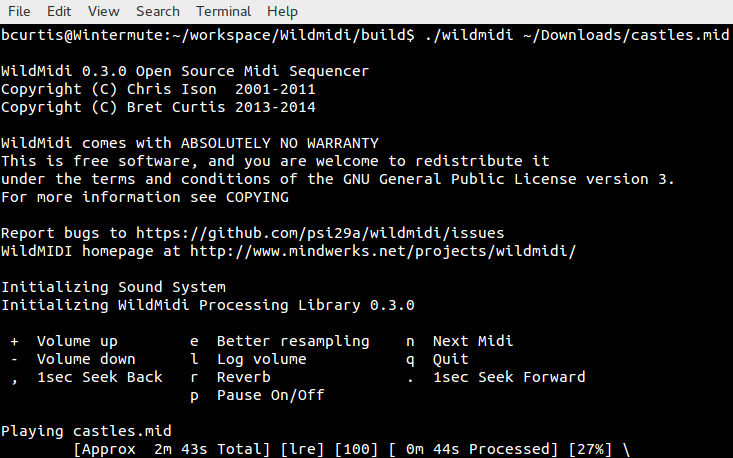
Screenshots running on Windows and Linux: