Skip to content

2013

Debian Package Maintenance

debian

I've been there before with Gentoo, as a developer, but times and situations have changed. Over the years I've been deeply involved with Ubuntu for my work and at its heart, Debian. I've become a Debian Developer to help get closer to the development process, package management and maintenance to do my share of the heavy lifting. The first thing I did was sign up at Alioth, a software 'forge' used by Debian for collaboration. Create a 'New Account' and just be aware that whatever login name you use, it will be appended with '-guest'. This will go away once you've officially joined Debian. At this point, it is also a good idea join a Debian mailing list and/or join IRC at irc.debian.org and have a nice chat with the folks in #Debian or their various sub-channels where you would like to help. It is important to have a sponsor/mentor that can help you out if you a problem. You will need them when getting accepted into the Debian community in order to start working. If you want to help but don't know where to begin, have a look at the "Work-Needing and Prospective Packages" page. There are a few packages up for adoption, orphaned and others looking for someone to take over. Go to the appropriate group and ask about supporting your package of choice. I am currently interested in introducing a new bit of software into Debian. If accepted, it will eventually show up in Ubuntu which is an added bonus. Once accepted on Alioth, upload your public key (SSH access) in your account page and you should now have ssh/git access to git.debian.org, which gets you on your way. Once signed in, set your .gitconfig with your name and email address:

[user]
    name = Bret Curtis
    email = [email protected]

From there, we should create your new git repository:

cd /git/pkg-fonts/; ./setup-repository fonts-ebgaramond 'EB Garamond OpenType and TrueType fonts'

We can no do the rest on our local machine. We create our build environment and pull in our newly created git repo then push into that our first release.

sudo apt-get install debian-archive-keyring git-buildpackage

# on Ubuntu
git-pbuilder create --distribution sid --mirror ftp://ftp.us.debian.org/debian/ --debootstrapopts "--keyring=/usr/share/keyrings/debian-archive-keyring.gpg"
# on Debian 
git-pbuilder create

Some extra commands that help to update the environment to the latest packages or add custom packages similar to having your own chroot envrionment.

git-pbuilder update
git-pbuilder login --save-after-login

From here on, we are pulling in our git repo, which should be empty. We do an git-import-orig with a release of the project. This isn't the full repo history, just the release. We'll be asked questions about the import to validate the version number. This will create master and upstream branches. Each new release goes into the upstream branch with a tag. In master we will keep our /debian directory which should contain our control files.

git clone git+ssh://[email protected]/git/pkg-fonts/fonts-ebgaramond.git fonts-ebgaramond
git-import-orig --pristine-tar ../v0.015.tar.gz
git commit -a -m 'Setting up the first release.'
git push --all

Once you have a working /debian control files in place, let's try to get it to build and produce Debian packages. We run litian afterwards to try to catch any errors in our control files.

export DEB_BUILD_OPTIONS="parallel=8" # or how many cores you wish to use
git-buildpackage --git-ignore-new --git-pbuilder
lintian --pedantic -I

From here on, talk to your mentor and when you think you are ready, it is then time to "Intent to Package" (ITP) and file a bug report. Make sure you can send email first with:

mail -s Testing_1 [email protected] < /dev/null

Should you get this back in your email, then are good to go! Use reportbug and follow through with the instructions with your ITP.

#On Ubuntu
reportbug --email [email protected] -B debian wnpp

#On Debian
reportbug --email [email protected] wnpp

This will get you on your way to maintaining your own package. This will file a bug and put it on the mailing list so that the appropriate people see this. Prepare for push-back and questions, this is normal. They will give advice to make sure your package is ready to be added to Debian. Good luck! Update: 20141024 - When there is a new release, here are the additional steps. First clone the repo if you don't already done so, then setup your branches.

git clone git+ssh://[email protected]/git/pkg-fonts/fonts-ebgaramond.git fonts-ebgaramond
fonts-ebgaramond
git branch -a
* master
  remotes/origin/HEAD -> origin/master
  remotes/origin/debian
  remotes/origin/master
  remotes/origin/upstream
git checkout -t origin/debian
git checkout -t origin/upstream
git branch -a
  debian
  master
* upstream
  remotes/origin/HEAD -> origin/master
  remotes/origin/debian
  remotes/origin/master
  remotes/origin/upstream
git checkout master
git-import-orig --pristine-tar ../v0.015d.tar.gz

Here you follow prompts, then when finished, give it a spin with building. Be sure to update your changelog and any version related issues.
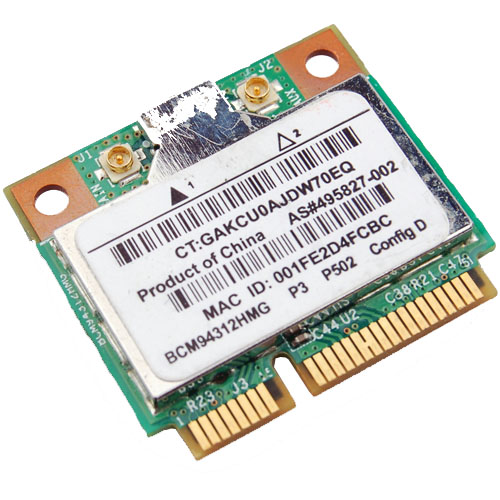
Wireless BCM4312 with the 3.10, 3.11, 3.12 and 3.13 kernels

Broadcom Chipset BCM4312

The hybrid driver from Broadcom was updated again in September (2013) with all the previous patches and a few other fixes as well. This brings them up to support linux kernel 3.9, which is very much welcome.

Sadly it breaks again with >= 3.10 with many warnings and errors which isn't good considering that Ubuntu (13.10) Saucy Salamander is about to be released.

We do have a patch for you though that gets us working again up to the 3.11 kernel.

Chipsets supported by "Broadcom’s IEEE 802.11a/b/g/n hybrid Linux® device driver" are: BCM4311, BCM4312, BCM4313, BCM4321, BCM4322, BCM43224, BCM43225, BCM43227 and BCM43228.

The error you will run into:

bcurtis@Aria:~/Workspace/wl.orig$ make KBUILD_NOPEDANTIC=1 make -C /lib/modules/uname -r/build M=pwd make[1]: Entering directory /usr/src/linux-headers-3.11.0-11-generic' CFG80211 API is prefered for this kernel version Using CFG80211 API LD /home/bcurtis/Workspace/wl.orig/built-in.o CC /home/bcurtis/Workspace/wl.orig/src/shared/linux\_osl.o CC /home/bcurtis/Workspace/wl.orig/src/wl/sys/wl\_linux.o /home/bcurtis/Workspace/wl.orig/src/wl/sys/wl\_linux.c: In function ‘wl\_tkip\_printstats’: /home/bcurtis/Workspace/wl.orig/src/wl/sys/wl\_linux.c:3246:7: warning: passing argument 1 of ‘wl->tkipmodops->print\_stats’ from incompatible pointer type wl->tkip\_bcast\_data); ^ /home/bcurtis/Workspace/wl.orig/src/wl/sys/wl\_linux.c:3246:7: note: expected ‘struct seq\_file \*’ but argument is of type ‘char \*’ /home/bcurtis/Workspace/wl.orig/src/wl/sys/wl\_linux.c:3249:4: warning: passing argument 1 of ‘wl->tkipmodops->print\_stats’ from incompatible pointer type wl->tkipmodops->print\_stats(debug\_buf, wl->tkip\_ucast\_data); ^ /home/bcurtis/Workspace/wl.orig/src/wl/sys/wl\_linux.c:3249:4: note: expected ‘struct seq\_file \*’ but argument is of type ‘char \*’ /home/bcurtis/Workspace/wl.orig/src/wl/sys/wl\_linux.c: In function ‘wl\_reg\_proc\_entry’: /home/bcurtis/Workspace/wl.orig/src/wl/sys/wl\_linux.c:3470:2: error: implicit declaration of function ‘create\_proc\_entry’ [-Werror=implicit-function-declaration] if ((wl->proc\_entry = create\_proc\_entry(tmp, 0644, NULL)) == NULL) { ^ /home/bcurtis/Workspace/wl.orig/src/wl/sys/wl\_linux.c:3470:22: warning: assignment makes pointer from integer without a cast if ((wl->proc\_entry = create\_proc\_entry(tmp, 0644, NULL)) == NULL) { ^ /home/bcurtis/Workspace/wl.orig/src/wl/sys/wl\_linux.c:3475:16: error: dereferencing pointer to incomplete type wl->proc\_entry->read\_proc = wl\_proc\_read; ^ /home/bcurtis/Workspace/wl.orig/src/wl/sys/wl\_linux.c:3476:16: error: dereferencing pointer to incomplete type wl->proc\_entry->write\_proc = wl\_proc\_write; ^ /home/bcurtis/Workspace/wl.orig/src/wl/sys/wl\_linux.c:3477:16: error: dereferencing pointer to incomplete type wl->proc\_entry->data = wl; ^ cc1: some warnings being treated as errors make[2]: \*\*\* Error 1 make[1]: \*\*\* Error 2 make[1]: Leaving directory/usr/src/linux-headers-3.11.0-11-generic' make: *** Error 2

The rundown:

  1. Download the 32 or 64-bit version: http://www.broadcom.com/support/802.11/linux_sta.php
  2. Download the patch: wl_3.10.patch
  3. Extract the sources: cd ~/Downloads; mkdir -p wl; cd wl; tar xf ../hybrid-*.tar.gz
  4. Patch and compile the sources: patch -p2 < ~/Downloads/wl_3.10.patch; make; sudo make install; sudo depmod; sudo modprobe wl

Give Ubuntu a few seconds after loading the "wl" kernel module, then eventually the Network Manager will start looking for wireless networks.

TL;DR: These patches are required for a working wl kernel module for the 3.10 and 3.11 kernel series.

Update (2014-04-22): Known to also work with Raring (14.04) that uses the 3.13 kernel.

Transcoding for mobiles

transcode-icon

There are times where I need a few films on my mobile for my son to watch. For my particular mobile "Galaxy Gio" the constraints for hardware acceleration is 360p as anything bigger will cause it to switch to software which is slower and sometimes a slideshow. For the uninitiated, 360p means either 480x360 at 4:3 ratio (your old TV) or 640x360 at 16:9 ratio (your HD TV).

First we need to cleanup our file names and sometimes 'rename' doesn't work properly. We list all files and separate them by commas and then parse line by line to first remove everything between () and then everything between []. We then move from the old name to the new name. File name cleanup: IFS=","; files=`ls --format commas | tr -d '\040\011\012\015'`; for file in $files; do newfile=`echo $file| sed 's/(.*)//' | sed 's/\[.*\]_//' | sed 's/_\[.*\]//' `; mv $file $newfile; done The code above will try to remove spaces, and everything between () and [].

ls | while read -r FILE do mv -v "$FILE" `echo $FILE | tr ' ' '_' | tr -d '[{}(),\!]' | tr -d "\'" | tr '' '' | sed 's/_-_/_/g'` done The above code will convert all your spaces to underscores, remove characters like {}(),! and convert the filename to lowercase.

ls | while read -r FILE do mv -v "$FILE" `echo $FILE | tr ' ' '_' ` done The above just converts all spaces to underscores.

Mass encoding: IFS=', '; set +x; for x in `ls --format commas | tr -d '\040\011\012\015'`; do height=`mediainfo $x | egrep -i "Height " | cut -d":" -f2 | sed 's/[^0-9]*//g'`; if [ $height -gt 360 ]; then name=`echo $x | sed 's/[^0-9]*//g'`; avconv -i $x -vcodec mpeg4 -acodec copy -scodec copy -threads 4 -vb 800000 -vf scale=640:360 series_name_${name}_SD.mkv; fi done

This last bit will go through your directory looking for media files who's height is greater than 360 and then transcode it to a lower resolution MKV file. Feel free to change MKV to AVI or whatever avconv supports as a container format. This keeps the original music, fonts and subtitles intact. By lowering the resolution, we match the screen resolution of the mobile and allow for hardware acceleration which will spare your battery. This has been incredibly handy during long flights with the kids.

Update: Convert to xvid that converts the audio track to mp3, this helps with playback on low end hardware DVD players as well as mobiles. avconv -i something.HDTV.mkv -vcodec mpeg4 -vtag xvid -acodec libmp3lame -ab 128k -ac 2 -ar 44100 -scodec copy -threads 4 -vb 800000 -vf scale=640:360 something.HDTV.avi

For aac (better quality and to preserve 5.1 audio): avconv -i something.HDTV.mkv -vcodec mpeg4 -vtag xvid -acodec aac -ab 192k -ar 44100 -strict expiremental -scodec copy -threads 4 -vb 800000 -vf scale=640:360 something.HDTV.avi

Should you need to adjust the aspect ratio and/or scale down, there are tools available to help. Aspect Ratio Calculator avconv -i something.HDTV.mkv -vcodec mpeg4 -acodec aac -ab 192k -ar 44100 -strict expiremental -scodec copy -threads 4 -vb 800000 -aspect 45:22 -vf scale=640:313 something.HDTV.mkv

Worldsynth 0.11.0 released

Rivers

Worldsynth version 0.11.0 is released and can be found on github.

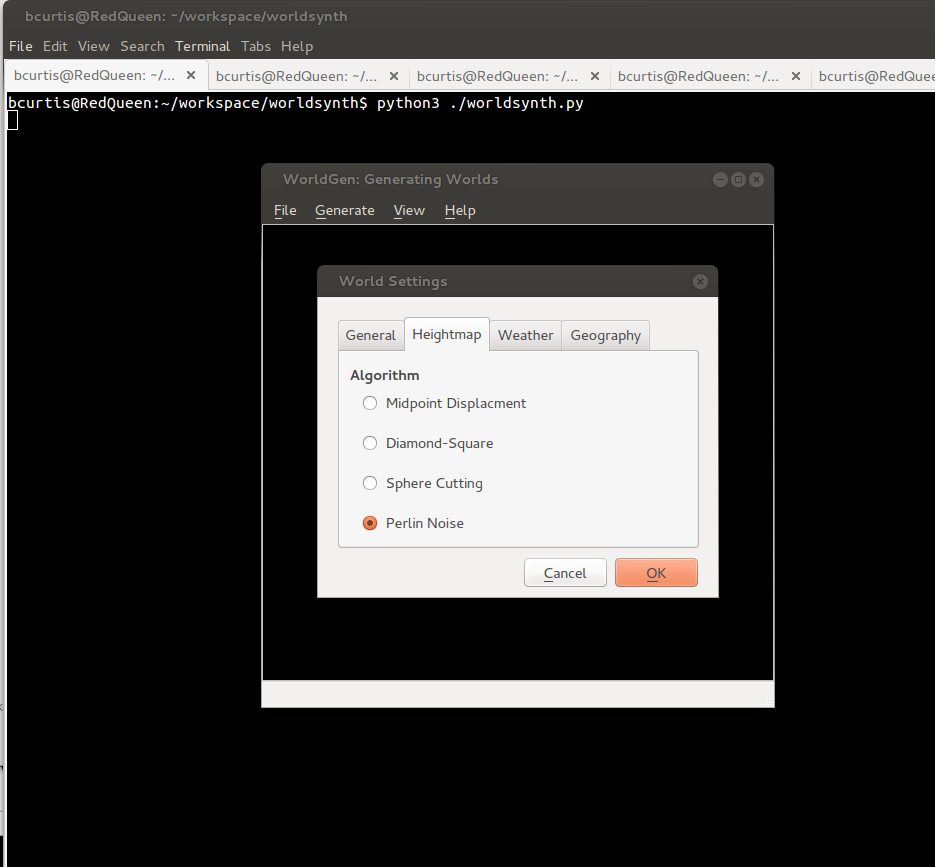
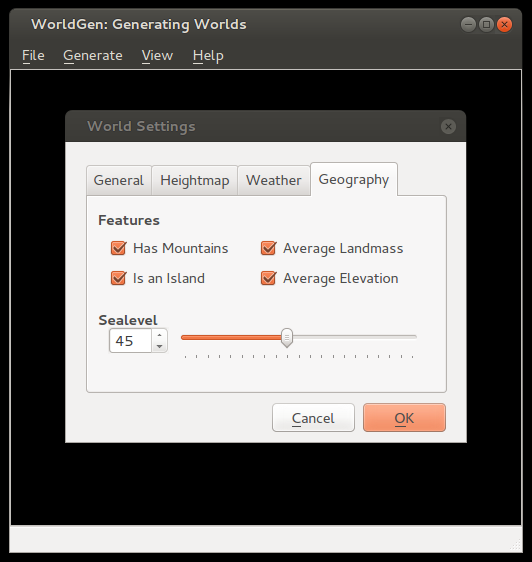
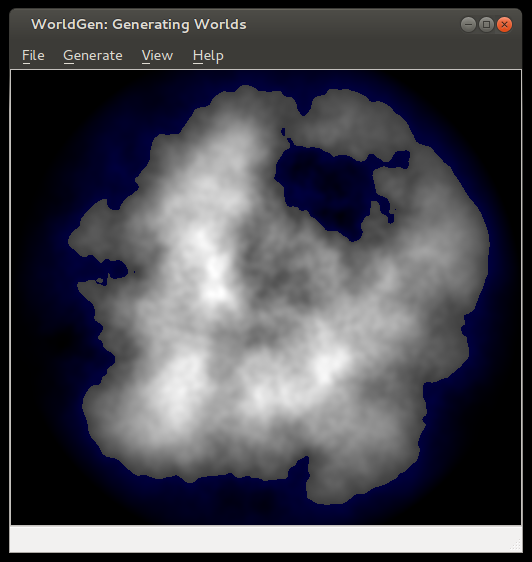
In this release we've added an additional algorithm for heightmap generation based on Ken Perlin's work in noise generation. We decoupled the sea-level to be configurable based on percentage, which in addition to masks we can now create islands. You can also save your world and open it up later since we use pytables to store our settings, metadata and our data in an open hdf5 format. You can also export your heightmap in 16-bit PNG greyscale or even import from a wide array of images formats as a heightmap. Importing from an image creates a 16-bit precision greyscale heightmap. In addition to this, one commenter ask about Python3 support, well now you have it.

The immediate future of Worldsynth has the following: fluvial erosion, better river erosion, better river flow/snaking and editing properties of world.

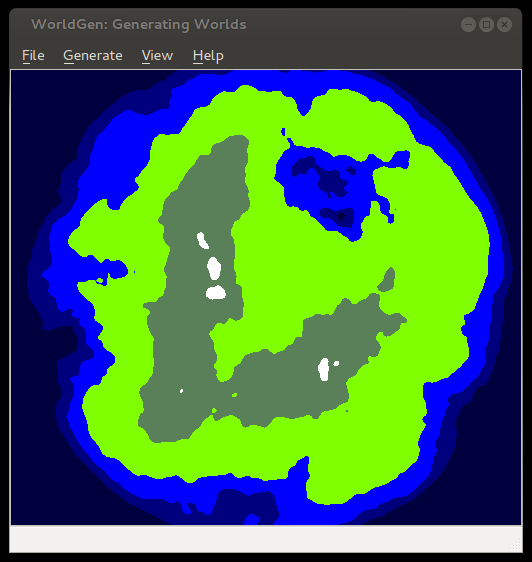
Here are some screenshots of some of the latest features:

noise

options

island

seaLevel

elevation

Upgrade Samsung Galaxy Gio to CyanogenMod 10.1

Android

After about a year of Gingerbread (2.2.3) and CyanogenMod (7.2), I thought it was time again to look at further upgrades to my Galaxy Gio. This was apparently enough time for developers to work out problems involved in dealing with Ice Cream Sandwich (4.0.x) and Jelly Bean (4.[1-2].x) such as no ICS (or greater) libs and codecs from Qualcomm for the MSM7x27 family of chips for hardware acceleration.

Thanks to the Samsung Galaxy Gio community at xda-developers, we now have CyanogenMod (10.1) which is based on Jelly Bean (4.2.2) that is usable for every day use. There are a few things that I've noticed that are not perfect, but it is a fully usable ROM. Before you do anything suggested below, it is wise to first backup anything you think important and not just to your SD as it will be overwritten to support an extra ext4 partition that can be used to store your applications and save valuable space. Make sure your SD is rated 6 or better.

You will need a new version of the Clockworkmod recovery rom for your Gio that specifically supports Jelly Bean. You should read more about the clockworkmod recovery image. Here is a wiki to answer some of your questions about it. ClockworkMod installation procedure:

  1. Download to your sd-card the cwm-6.0.2.7-itachiSan-ext4only.zip (clockworkmod 6.0.2.7) as your recovery rom image.
  2. Reboot into recovery mode, hold down the Home/OK (middle) button and press the Power button.
  3. In recovery mode, use the Volume buttons for navigation and the Home/OK button for selecting.
  4. Select “Update from SD card” from the recovery menu and drill down to cwm-6.0.2.7-itachiSan-ext4only.zip and press OK
  5. Reboot again into recovery mode and you should now have the new CWM recovery screen.
  6. Please wipe date/factory reset.
  7. Once finished head down to advanced and then to partition sdcard. Select 4096M (or smaller if your SD card is not big enough) for your new ext4 partition and hit OK, then select your swap partition size of 256M (or 0 if you do not wish to use swap on SD card) and press OK to create your new partitions.
  8. You are now ready to install CyanogenMod 10.1!

Once CWM is installed and you've created your new partitions, we should be ready to install CyanogenMod. The new partitions are purely optional, but I use them to help offset the Gio's memory is really small. You should have 3 partitions on your SD card, 1 that you can use to store applications on in ext4, 1 for swap and the last one is your normal fat32 partition. CM10.1 doesn't automatically make use of this, but I installed a separate application that makes the proper symlinks. It is advisable to install this application right after CM10.1 is installed. If you wish to read more about this particular blend of CynanogenMod, please follow the forums here: http://forum.xda-developers.com/showthread.php?t=1804646

Installation of CyanogenMod 10.1 for Samsung Gio

  1. Download last known good build:cm-10.1.0-RC6-GT-S5660-gio.zip which has been thoroughly tested and widely installed. or Download last known stable build:cm-10.1.6-GT-S5660-gio.zip is the latest build in the stable series. It is also reliable.
  2. Copy the file to your SD card
  3. Reboot into Recovery Mode (CWM)
  4. Select install zip from sd card
  5. Select "cm-10.1.*-GT-S5660-gio.zip" ROM
  6. Select Yes - Install update
  7. Wait till the Installation is finish
  8. Select 'wipe data/factory reset'
  9. Select 'reboot mobile' and enjoy

After you have settled into your new Android version, head over to XDA and download a modified version of S2E. Install S2E from clockworkmod, reboot and configure it to your liking. I check everything but Application data for performance reasons. Once you have it configured how you like it, make sure that the status is enabled and you need to restart your mobile for settings to take effect.

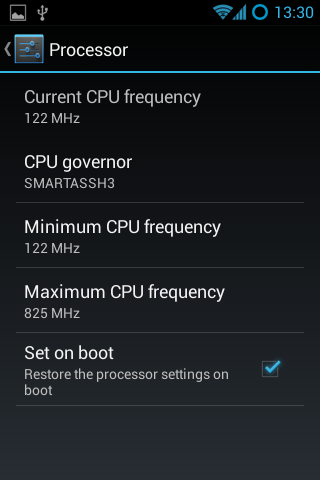
The next thing you should look into is getting the "Developers Options" screen to appear in settings. By pressing the "Build number" in the about section 7 times, you'll get access to an important part of the phone. I go to the CPU functions and set the min to the lowest the CPU will go and highest to a 825Mhz with the Smartassh3 governor. This creates a very smooth experience and an extra bit of raw power on top when necessary.

Some addition tips to help manage your battery: turn off any services you don't need, don't use too many widgets, the widgets you do use should not interrupt deep sleep, keep brightness to medium.

Enjoy your "new" mobile! :)

Update (20130625): Since Olddroid's project is abandoned, I've switched to using Erika's build he is a member of the androidarmv6 team.

Update (20131104): I've been running latest release from androidarm6 team for about a month now, and it has been very stable. I've not had one single unexpected restart. Cheers! cm-10.1.6-GT-S5660-gio.zip

Note: Should you ever run into a situation where your mobile is unresponsive and possibly 'bricked', then you should have a look at this thread about "one click unbricking" to try to get your mobile back in working order.

This is part 3 of a 3 part series about the Galaxy Gio. Part1: Upgrade Samsung Galaxy Gio from 2.2.x Froyo to 2.3.x Gingerbread Part2: Upgrade Samsung Galaxy Gio to CyanogenMod 7.2 Part3: Upgrade Samsung Galaxy Gio to CyanogenMod 10.1

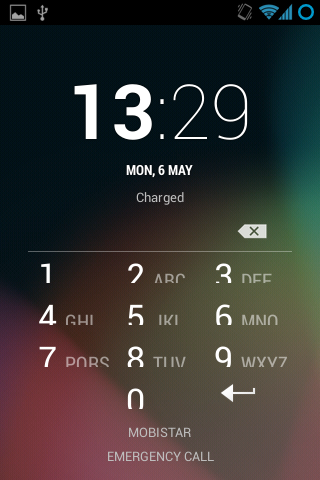
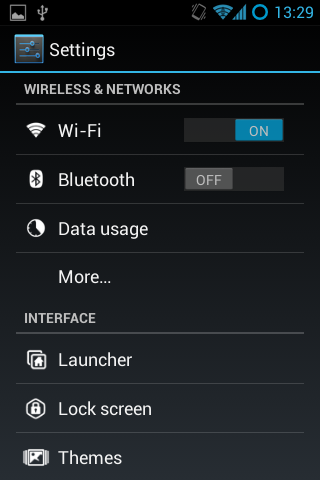
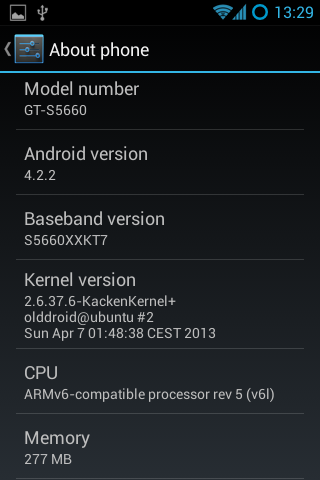
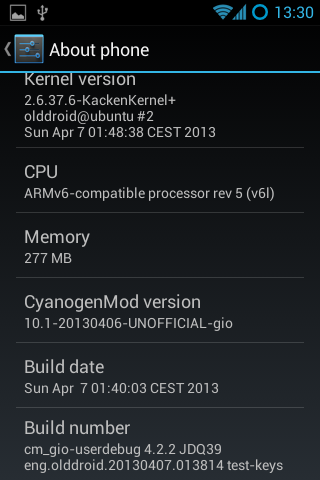
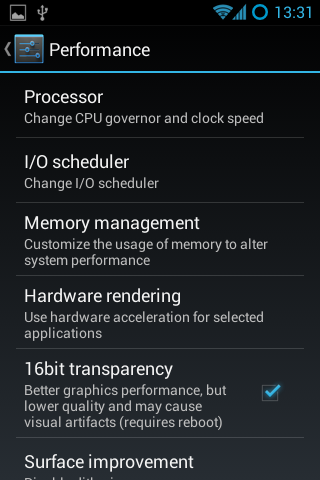
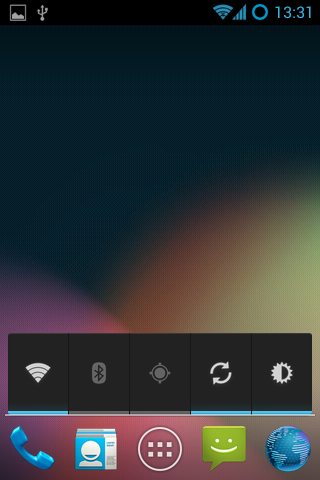
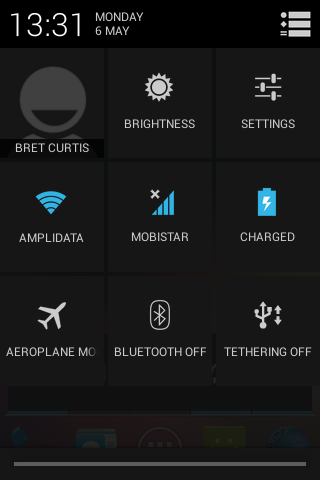
Here are screenshots of what to expect:

Screenshot_2013-05-06-13-29-04

Screenshot_2013-05-06-13-29-16

Screenshot_2013-05-06-13-29-37

Screenshot_2013-05-06-13-29-57

Screenshot_2013-05-06-13-30-02

Screenshot_2013-05-06-13-30-37

Screenshot_2013-05-06-13-31-17

Screenshot_2013-05-06-13-31-50

Screenshot_2013-05-06-13-31-56

Worldsynth 0.10.0 released

Rivers

Worldsynth version 0.10.0 is released and can be found on github. This is our first "official" release in which the result should work, out of the box, with a usable and familiar GUI instead of the pygame environment. This is provided by Qt4 via PySide. We have even tested Worldsynth on Windows XP to validate that it is indeed cross platform.

As for 0.11.0, we are looking to unlock size of terrain to be of any variable width and height instead of the basic power of two. We are also investigating fluvial erosion.

Here is a demo of the latest release: https://www.youtube.com/watch?v=xgxS1MpVBeY

Some of the things changed in this release are:

Improved our just-in-time library loading so that only libraries are loaded as needed and were needed. This also helped to reduce the number of dependencies necessary for running Worldsynth.

We implemented an erosion model so that we can use it as an overlay over the original heightmap.

There is also now an overflow flag that treats the terrain generated as one that wraps. Rivers, for example, can flow off edges of maps, overflow into other side. This make the world seamless and one step closer to being able to wrap the terrain to a globe and having a world.

We also have a demonstration of Worldsynth running on Windows. https://www.youtube.com/watch?v=QaHid9-etzo

Here are the files and libraries necessary to run Worldsynth on Windows:

Latency simulation over long fat network

World Network

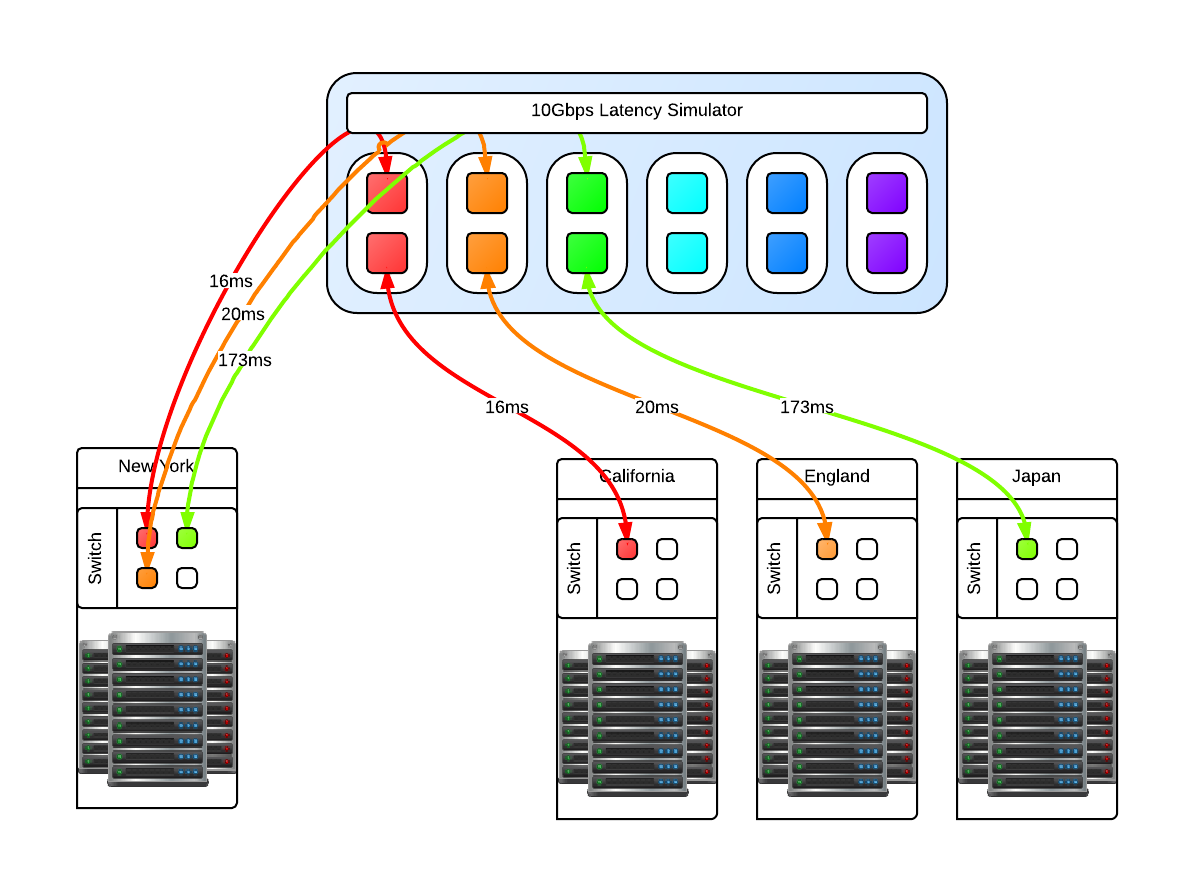
One of our clients asked us how we handle latency, and not just a few ms across racks but 2 and even 3 digit ms latency that indicates geographically separate locations across continents, not just a country. Not only that, the "pipes" involved are 10Gbps and we had to fill them. We have the theories and made models of how it would work. We perhaps might not be able to fill a 10Gbps fully with one stream, we could fill it with multiple streams but we had to validate this conclusion. The question now becomes, how do we test this. We've done our research and there are only a few commercial solutions available like the Netropy 10G2 which is a 4 port, 2 lane hardware latency simulator for $30,000 new. Not only is that outside my budget, it is still limited to simulating 2 10Gbps pipes while we need at least 3 lanes (6 ports) and possibility to expand to more as necessary. We decided it was cheaper in terms of total cost to put the research into creating our own Latency Simulator. We studied what we could from google, specifically the work done by NASA on a "Channel Emulator". They used traffic control (tc) to handle delay on the egress of an interface. This means that if a packet travels through, it is delayed but the return packet is not and goes right through. Our setup means that we have one 10Gbps card with 2 ports. We then link the two interfaces with bridge control (brctl) to create a layer2 bridge. We then split the "round trip time" or RTT delay and apply that to each 10Gbps interface. All packets going to and returning from a network then have the full simulated RTT delay. This type of machine does not need much in the way of RAM as the buffers necessary are not large, 4GiB is sufficient. What is important is the CPU operating frequency, all other aspects of the CPU is not important except that there should be 1 core per 10Gbps interface. This is required because part of the network stack is being simulated with the bridge then processed. For a 3 lane setup, that is 6 ports so we need at least a 6 core CPU @ >= 2.2 Ghz to handle the load.

Latency Simulator

You may be asking why just 3 and not 4 latency lanes, this is because for us there will always be a 'local' data center and the other 3 connect to it in a star like network layout like in the above diagram. Since this is a 'flat' network in the same subnet, any ping from one of the data centers to another data center will go through the 'local' data center. In reality, these 'data center' switches are connected to the Latency Simulator which then connects to the local data center switch. Realistic latency from the 'local' data center in New York: California: 32ms England: 80ms Japan: 346ms Source: Verizon's latency table Going from California to Ireland would involve first a hop through New York, so the compound delay would be 112ms. With that in mind you can then compute your bandwidth delay product (BDP) Once the machine is up and running with whatever Linux distribution you like, make sure that tc and brctl are installed. Here are the scripts that can be used to bring the bridges up and down, and apply latencies and remove the latencies for the four geographically seperate datacenters. Files:

Once in place, we could ping from one side to the other and see the latency being applied. It is now time for baseline testing. First we turned off the latency and used iperf to test end to end that we can fill the 10Gbps pipes and that the Latency Simulator isn't the bottleneck. We could get around 9.50Gbps point to point. Then we turn on the latency and see the impact directly. The first thing we noticed is that when running iperf for the default 10s that the slow start and initial TCP window size has an impact how much data we can send over the wire. Because of the slow start, if you want better performance in your stream then you need to test for longer than 10s. We could not fill a pipe with 120ms latency until after 25s of running iperf which time we had transferred something like 15GiB of data. So trying to send a 1GiB file will not fill pipe.

RTT in ms   MiB/s default   MiB/s MAX
0       1162        1157
2       1053        1136
4       513     1076
8       248     1075
16      103     691
22      91      366
32      47      358
44      31      208
64      8.2     64
128     0.8     26
130     0.7     26

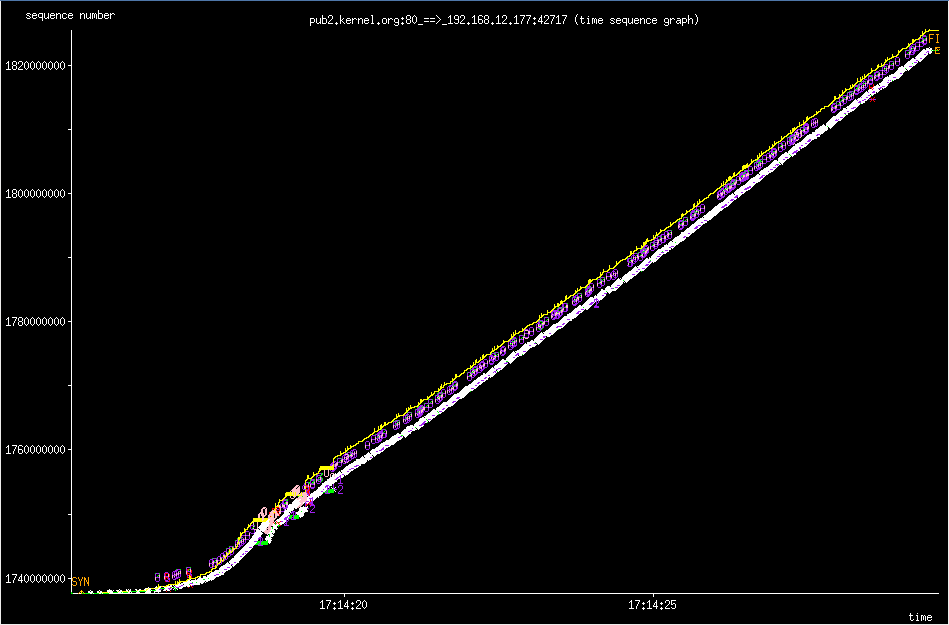
The MAX settings I used is the MAX TCP Window Size of 1GiB. If you try to go above that, you will find that Linux gets mad and some networking services will just not work. The sweet spot for us to set the initial window size to 8MiB which gave the algorithm enough time to shrink to either 4096 bytes or to grow in the other direction. Below are two 'key' tunables where rmem is the read buffer and wmem is the write buffer of the TCP buffer. sysctl -w net.ipv4.tcp_rmem='4096 8388608 33554432' sysctl -w net.ipv4.tcp_wmem='4096 8388608 33554432' However even with an initial 8MiB TCP Window Size, you'll never reach this potential because the Initial Congestion Window (initcwnd) is set to 10 as of 2011 per this git diff. This "slow start" is a congestion avoidance mechanism with exponential growth, a feature not a bug. Below is the 'slow start' in action when downloading a linux source tarball from kernel.org. slow star congestion control slow star congestion control What you are seeing is the an exponential growth of the congestion window that eventually grows to allow the TCP Window Size to kick in which then scales up linearly. You can however changed this per route which makes sense because congestion control works on a per network/host level. Examples of setting the initial congestion and receive windows: ip route change default via x.x.x.x initcwnd 20 initrwnd 20 # update your default gateway ip route change dev eth0 192.168.1.0/24 proto kernel src 192.168.0.1 initcwnd 20 initrwnd 20 # if you want to apply it just to one network Do not think of this as just updating the values and expecting fantastic results, because if you enter packet loss into the equation or real network congestion, then you are in for a painful experience with values that are too large. You'll not be as agile to respond to the pitfalls of the Internet, but if you are on a long fat network then adjusting these values can be a real boon for your throughput. You should now the tools necessary to implement your own "Long Fat Network" simulator and various things you can look at and adjust to get the most out of your network and applications.

Introducing worldsynth for your world generation and building needs

Rivers

After many years of development in my spare time, I've decided to release Worldsynth as a Free and Open Source Software. As a world generator, it fills the roll and can also be rapidly extended to support additional features. The source might not be of top quality, but the main purpose of creating it has been fulfilled and I want to share it. I only hope that others will find it useful and want to build upon it.

There is still much more functionality that I would like add and additional polishing to the user interface. Midway through I switched from pygame to pyside or Qt4 for the GUI. I consider it ready for "Alpha" at this point, meaning there might be bugs and few experimental features that may break but otherwise usable.

What we have so far:

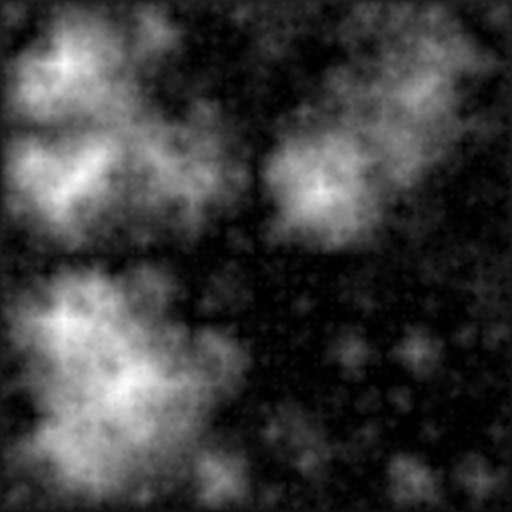
  • Heightmap - What we have so far is the ability to create a heightmap using three different methods: midpoint displacement, sphere slicing and diamond square. Each have their advantages and disadvantages depending on the type of terrain map you desire.
  • Heatmap - Based on the heightmap we generate a heatmap to get our temperature range across the terrain, either full equatorial or picking between northern or southern hemispheres.
  • Weather - There is wind and precipitation that are heavily influenced by the contours of the terrain. This includes rain shadows from mountains and average rainfall based on wind direction.
  • Drainage - The drainage dictates how fast the water is absorbed by the terrain. This has in impact on the type of geology that is there such as soft ground good for farming or hard stone that water just flows over with little erosion.
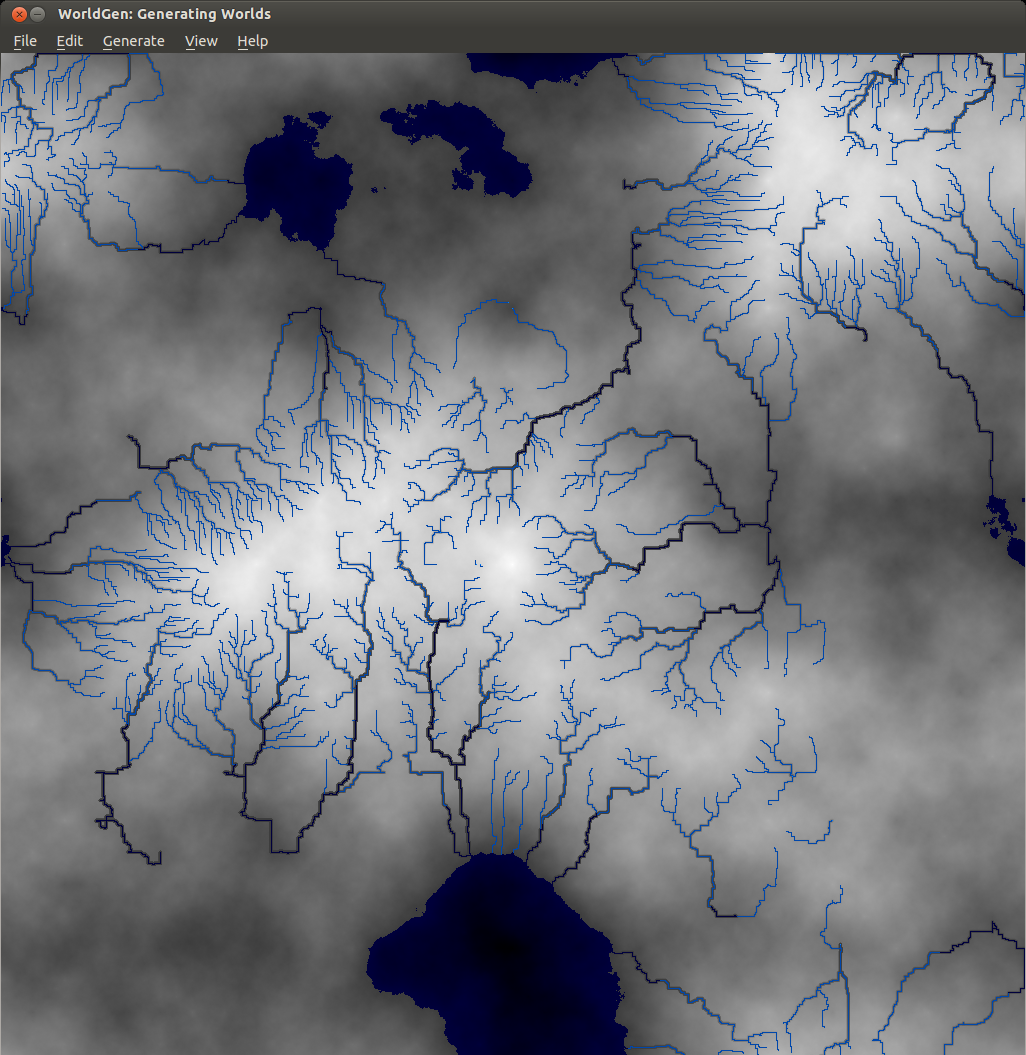
  • Rivers - With the rain water that collects when falling down the mountains and hills of the terrain, at a certain point to form streams that collect further into rivers. It flows either out to sea or collects into a depression of the terrain. This also has an impact on erosion on the terrain.
  • Biomes - With all the layers above we can then synthesize biomes which give a sort of realistic habitation zones that we find in real life.

Media: I've made films of older versions Worldsynth to give an idea of what is possible. The GUI has since changed from pygame as of version 0.8 to pyside in version 0.9, but the main features haven't changed. The follow video demostrates all the major features talked about above. http://www.youtube.com/watch?v=INfN3IXwwzg

The next video is older but still gives another demonstration. http://www.youtube.com/watch?v=Sixm7dd9klY

Outside interest: Other projects have already taken an interest in Worldsynth and have used the results for building their own worlds. OpenMW is a FOSS remake of the Morrowind game engine that will let you play Morrowind on multiple platforms. They are also working on a OpenCS which will be better than the Morrowind Construction Set, win parallel with an OpenES or "Example Suite" that will allow anyone to use OpenMW without having to own Morrowind.

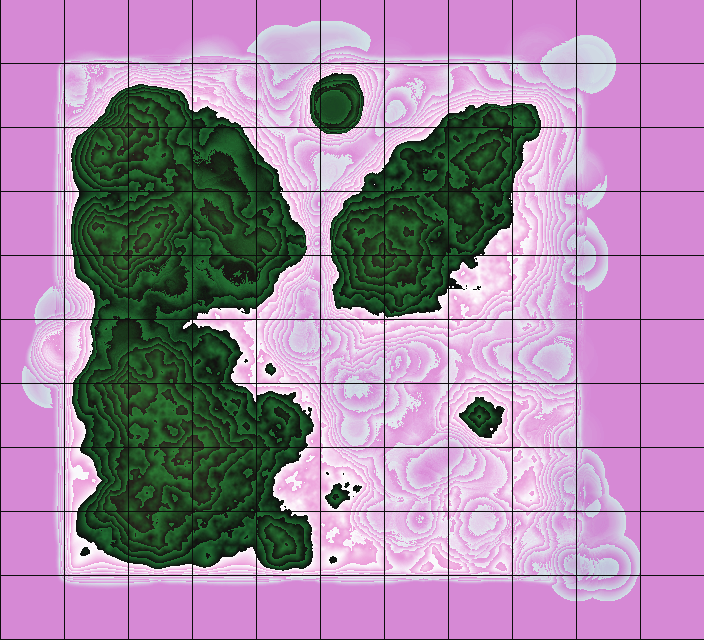
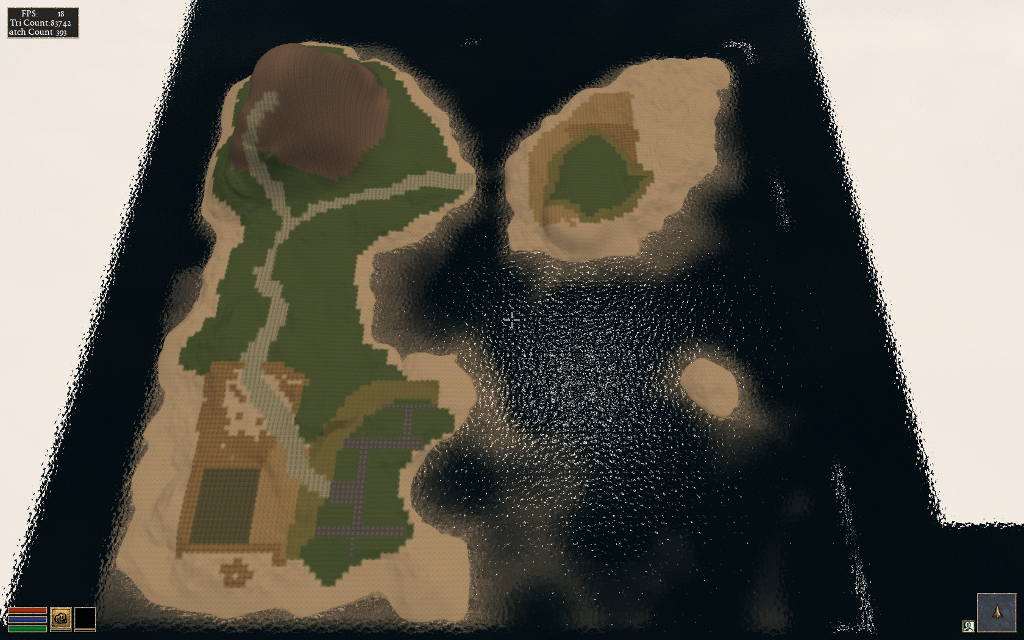
They first had to generate a heightmap that fit their requirements, three relatively big islands in a 512x512 map.

OpenMW Heightmap

Landscape

Once they had a heightmap that they could work with, they did a test conversion into an usable ESM for OpenMW. They used a tool made by Lightwave called TESAnnwyn which allow for the creation of an ESM using the heightmap. I've talked with Lightwave about open-sourcing his work, and he replied that it would love to but first needs to clean it up. He did provide Linux 32 and 64 bit versions of TESAnnwyn that I'm allowed to host until he can get around to it. tesannwyn_linux.tar

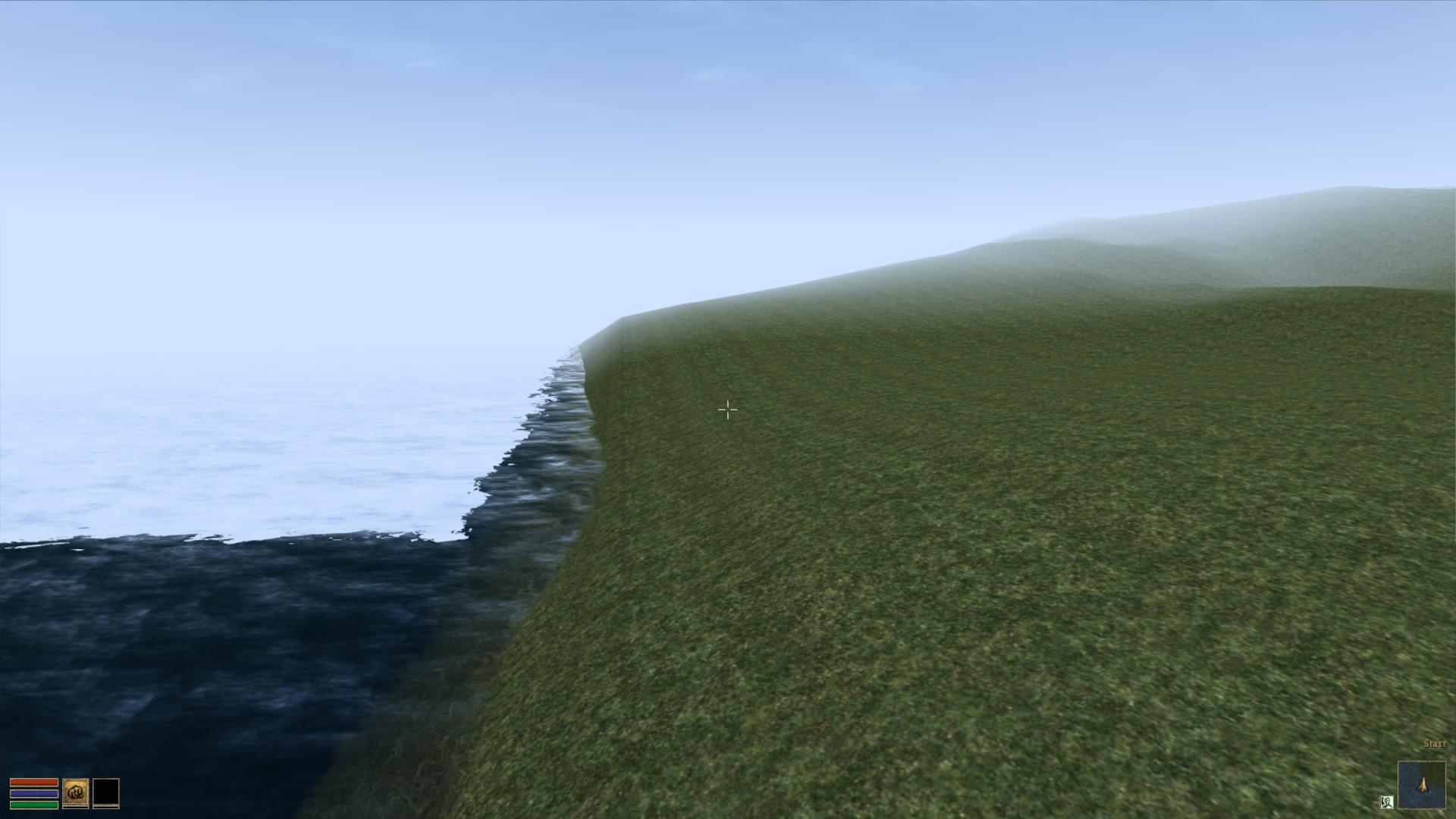
The result is a success!

Import of Heightmap Works

Raw Heightmap in OpenMW

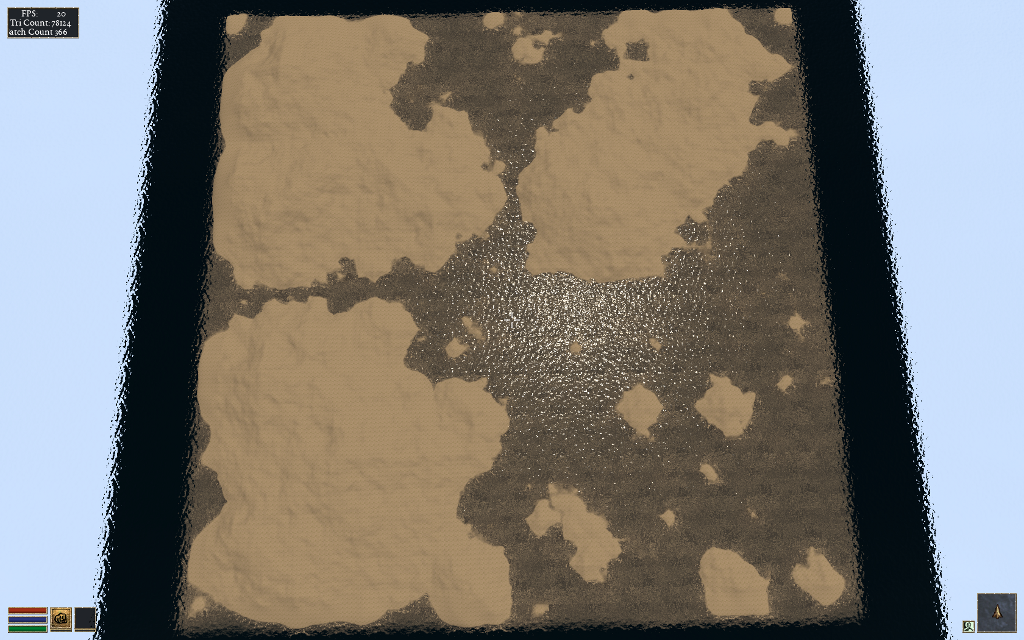
With this they can plan out what they want to do and where things should go before editing.

Landscape and Overview

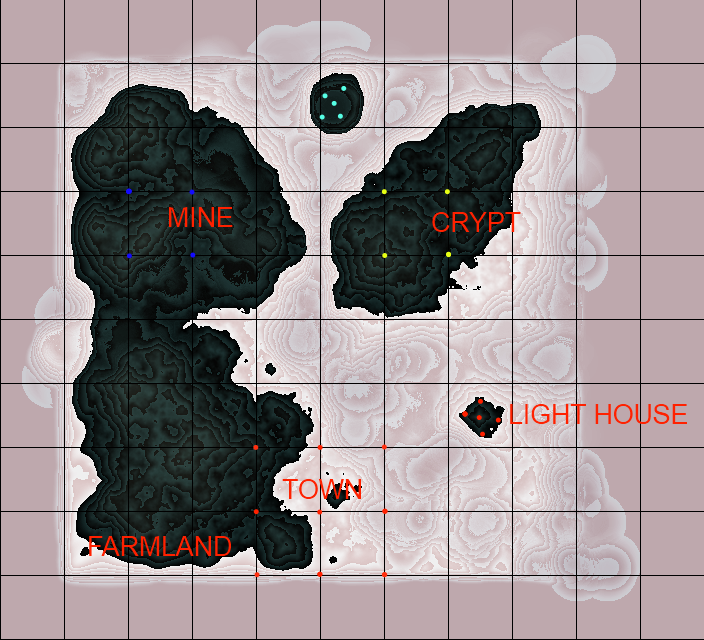
The ESM was put into the editor to mold their new world. I would love to add some of that very functionality into Worldsynth. The result of their modeling is this.

Demo of edited Heightmap

They are still building and creating, but this drop in replacement for Morrowind (Example Suite) is coming along fine. You can have a look for yourself as they provided me with a demo ESM you can use. Place OpenMW.esm in your "Data Files" directory next to Morrowind.bsa. Rename Morrowind.esm so that it is out of the way and copy OpenMW.esm to Morrowind.esm. With OpenMW, use the launcher and select OpenMW.esm in the "Data Files" tabs. Close the Launcher then on the command line type this: openmw --start="Town, Centre" Once in, hit f2 to open the console and set your speed so you can fly around and view the work that is going on with the Example Suite. player->setspeed 500

This is very good for moral here as people are actually using Worldsynth for their own projects. It is possible that they will ship it with their OpenCS or at least link against it for their heightmap generation needs.

Wireless BCM4312 with the 3.6, 3.7 and 3.8 kernel

Broadcom Chipset BCM4312

As a follow up to , I've also tested the Broadcom hybrid driver with the 3.6, 3.7 and the soon to be released 3.8 kernels with success. There have been no major changes that should effect the operation of this driver.

To verify that everything is working as expected on the software side, when modprobe or insmod wl, you should get a similar dmesg output:

[ 307.560347] lib80211: common routines for IEEE802.11 drivers [ 307.560353] lib80211_crypt: registered algorithm 'NULL' [ 307.564524] wl: module license 'unspecified' taints kernel. [ 307.564529] Disabling lock debugging due to kernel taint

The only real issue at this point is this:

WARNING: modpost: missing MODULE_LICENSE() in /home/bcurtis/workspace/wl/wl.o see include/linux/module.h for more information WARNING: modpost: Found 1 section mismatch(es). To see full details build your kernel with: 'make CONFIG_DEBUG_SECTION_MISMATCH=y' CC /home/bcurtis/workspace/wl/wl.mod.o LD /home/bcurtis/workspace/wl/wl.ko

While these aren't errors, they are problems to be addressed upstream by Broadcom if they wish to see their driver to be used in the future. They will also need to incorporate my patch sets from my previous post. They haven't updated their driver in about two years now.

Properly ripping DVDs and adding subtitles in Ubuntu

dvd::rip

There are occasions where you legitimately need tools to help that would otherwise be considered the domain of "pirates" and "ne'er-do-wells". In this particular scenario, my grandparents send a DVD from the United States (Region1) to us in Belgium (Region2). Not only will the DVD not play back on a region locked DVD player, there are also no Dutch subtitles.

There are however technological solutions to this type of problem, including such programs as dvd::rip, vobsub2srt and a few websites dedicted to crowdsourced subtitles.

Our first task is to properly rip a DVD. There are many options here, but I chose dvd::rip because it just works. It creates a small xvid (avi) file that is compatible with a set-top DVD player and it is also allows ripping of any subtitles found on the DVD. If may wish to dig into the documentation to really understand the details of dvd:rip. I'll give you a step-by-step run down on how I did things.

dvd::rip

  1. Install the program and it's libraries.
  2. Following the directions and make sure the directories are set, dvd drive is found and that libraries are installed.
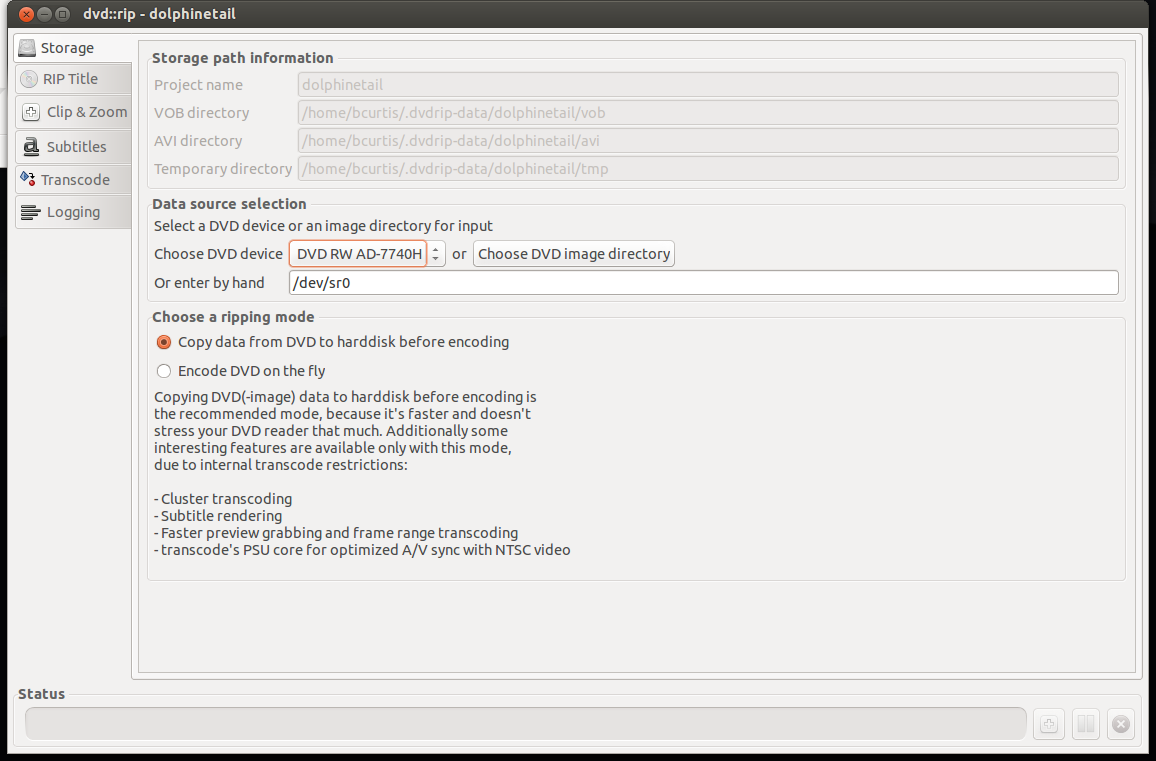
  3. On the left will be tabs, use this as a process. Begin with "Storage" where you set the project name, dvd drive to use and "Copy data from DVD to hard disk before encoding" which will make things faster.

Storage

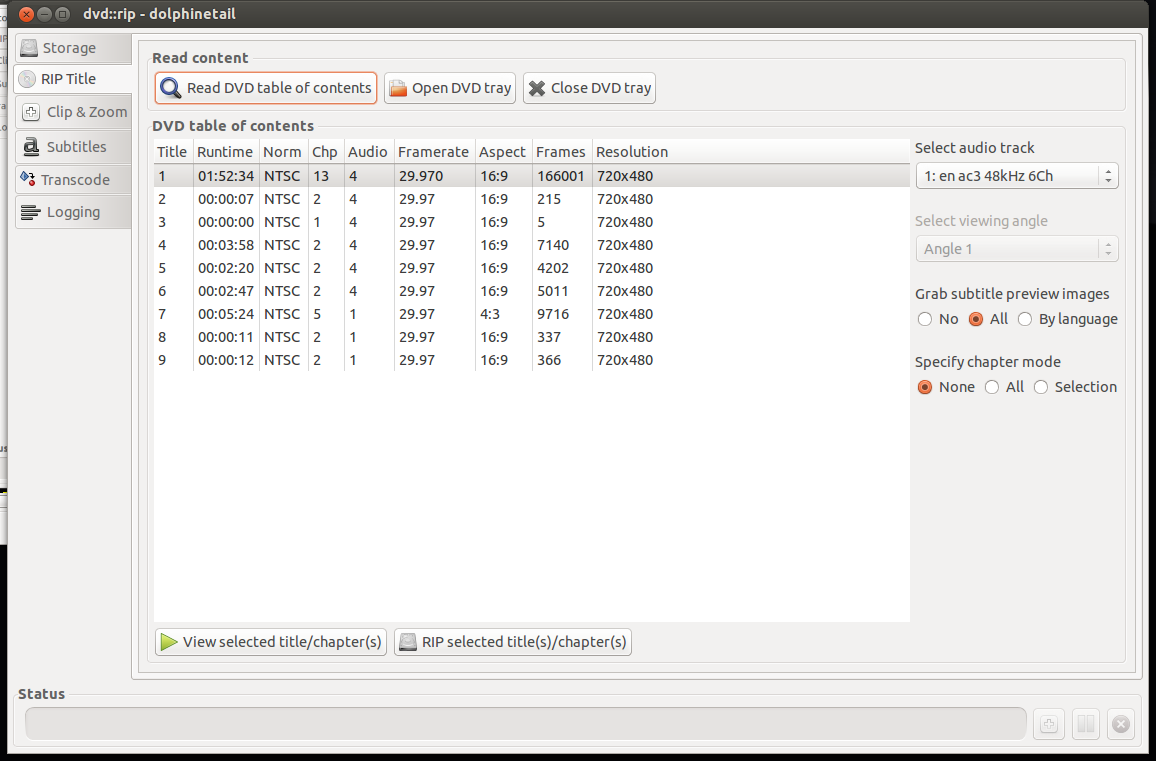
  1. On "Rip Title" you need to read the data on the DVD and select which files to rip. First "Read DVD table of contents", select the Title or Titles you wish to rip, usually the one with the most Chapters and/or Runtime is your target. Highlight that entry, select on the right your audio track (en for English, other en entries are usually commentary tracks). Set "Specify chapter mode" to None so that it is ripped as one file and not a set of files (per chapter) and set the "Grab subtitle preview images" to All so that you can select what subtitles you wish use, if any. The last step here is to "Rip selected title(s)/chapter(s) which will take a few minutes.

RipTitle

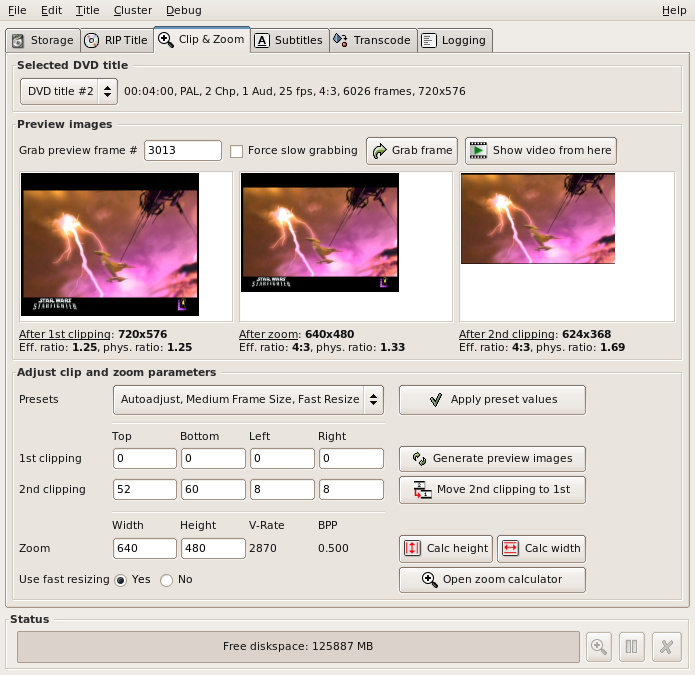
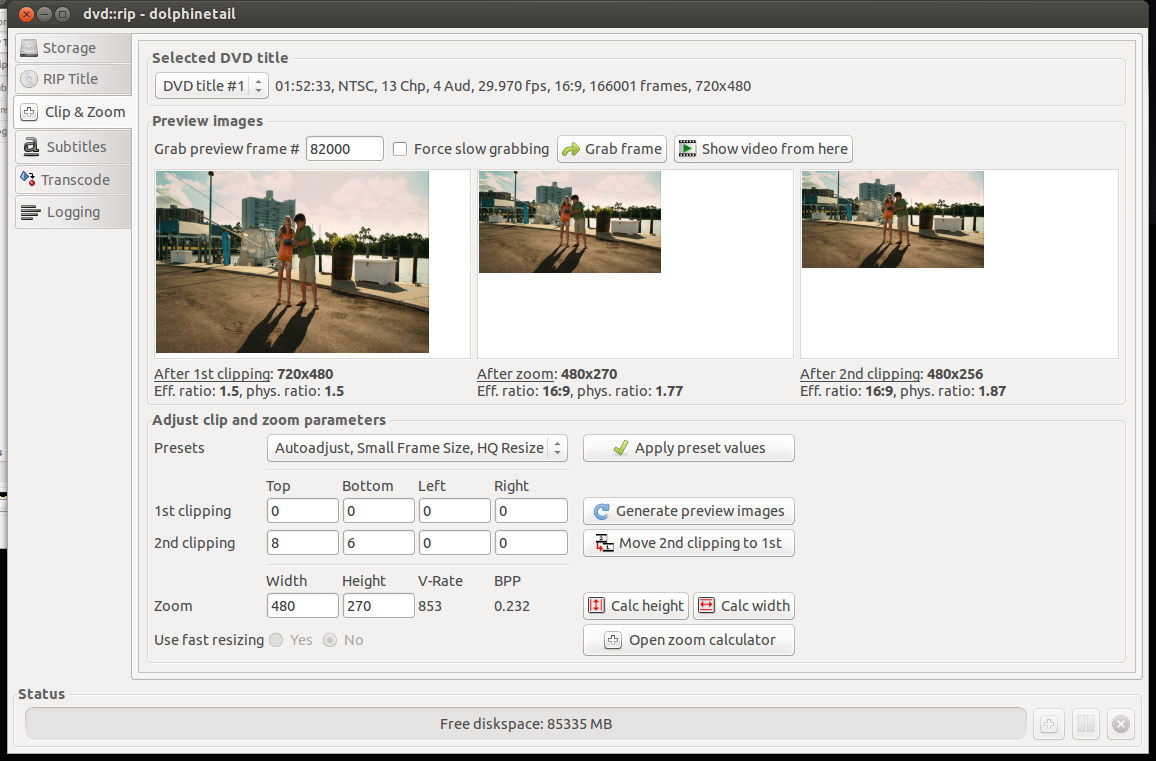
  1. Select next the "Clip & Zoom" which will allow you to set the correct format (size) that is perfect for your TV. You need to be careful here because the source (DVD) can be different such as: letterbox (widescreen) 1.85:1 ratio, anamorphic (widescreen) 16:9 ratio, or pan & scan (fullscreen) 4:3 ratio. Look at the back of your DVD box to verify. To test different settings, do a grab frame and try various "Autoadjust" presets until you find something that looks right. If you are playing back on an older DVD player with USB divx/xvid/avi support, then try to pick Small Frame Size, which is about 480p. This will make playing back smother as your hardware DVD player doesn't have enough CPU power to downscale higher resolutions.

ClipAndZoom

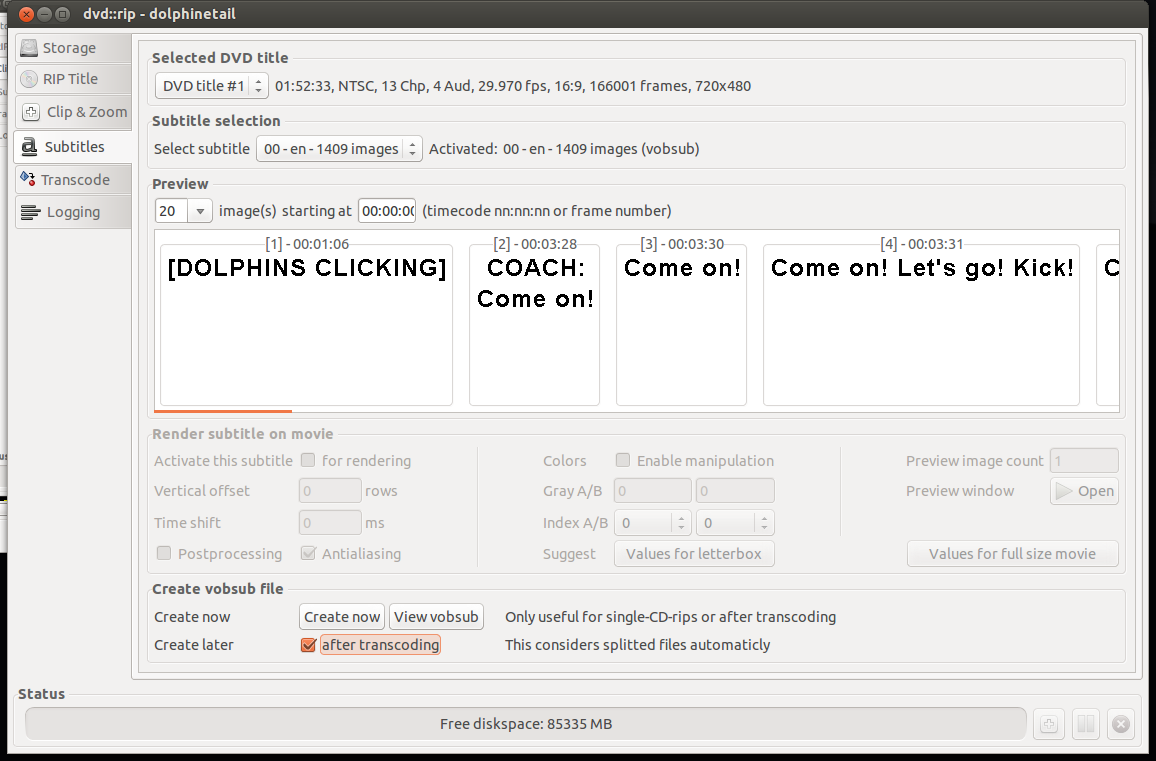
  1. Moving to the Subtitles screen, you can select the DVD title that you ripped and the correct subtitle you wish to rip. You can either "Activate this subtitle" for rendering or "Create now" which will produce separate files which you can use later. I prefer another method of handling subtitles than hard-rendering them to the rip. After "Create Now", you will have extra files that we can convert to SubRip text file format (SRT) later.

Subtitles

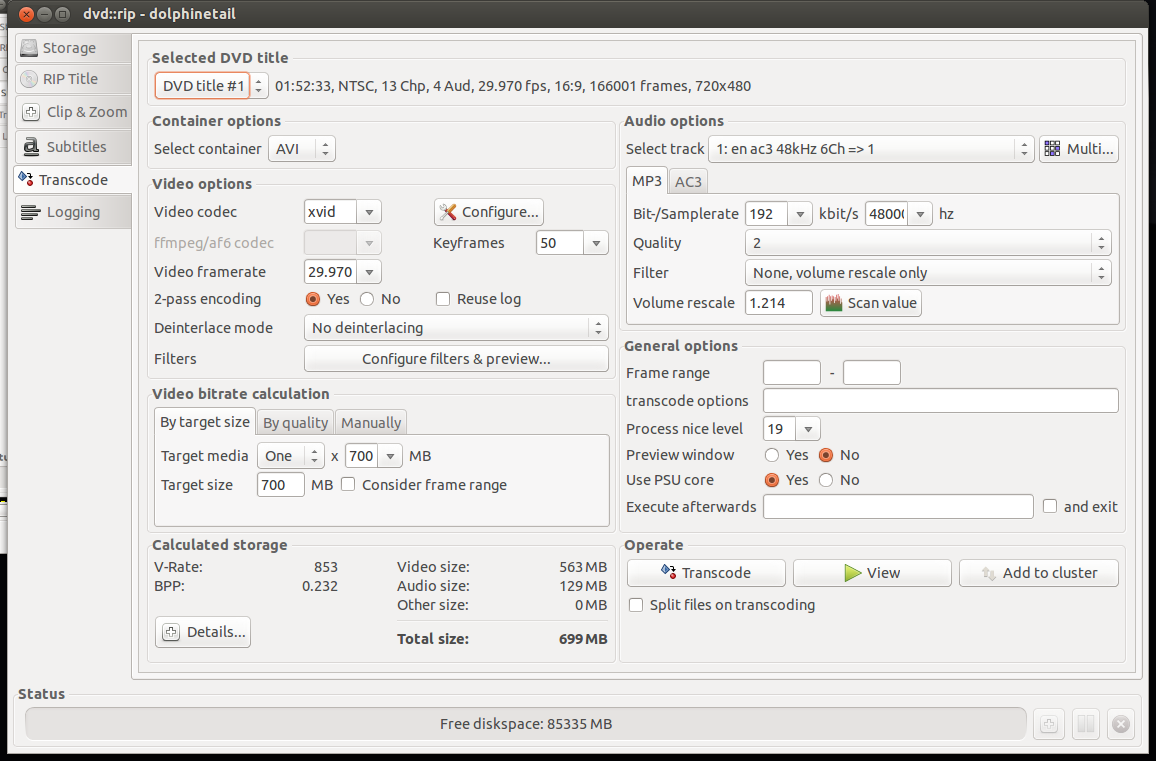
  1. After that we go to the "Transcode" tab which is the 'meat' of the program. We select our DVD title, select a container of AVI, make sure the "Video codec" is xvid, "By target size"'s "Target media" to One x 700MB which will create one file at an acceptable bitrate. On the Audio Options side, "Select track" to the one we ripped and select MP3. I set the Samplerate to 192kbit/s to get better audio. the rest I set to defaults. On the bottom left gives you an "Calculated storage". If you are content with your choices, go to "Operate" and select "Transcode" and wait a bit more.

Transcode

  1. Success! Try out your newly made AVI file with VLC or another player to make sure it is to you liking. If you got an error, you can go to the "Logging" tab on the left and see where you went wrong.

At this point, you should have an AVI file that you can play back in your video player or DVD player. However the job is not yet finished as we also need the subtitles for those in their native language. We saw that we could 'Rip' subtitles with dvd::rip but the files we have are in the VOB format idx/ifo/sub format which may or may not be readable by your player. We can convert this format to a SRT text-based file which is widely supported subtitle format using a tool called: VobSub2SRT.

VobSub2SRT

  1. Download and build VobSub2SRT yourself or install the package via PPA.
  2. You will also need to install 'tesseract-ocr' and any of the language files necessary to handle the subtitle language you ripped earlier.
  3. From the command line, go to where your ripped subtitles are and run the command to convert (OCR) them into an SRT file.

vobsub2srt --lang en dolphinetail-001-sid00

This will use english (en) from the idx/sub files to make the srt file. You can find out which languages you can pick from using the --langlist parameter.

bcurtis@Wintermute:~/.dvdrip-data/dolphinetail/avi/001$ vobsub2srt --lang en dolphinetail-001-sid00 Selected VOBSUB language: 0 language: enen Wrote Subtitles to 'dolphinetail-001-sid00.srt'

Success! Just copy the SRT file to where your AVI is and your player should recognize and automatically use the subtitle file.

There are times when you have the film but there is not subtitle for your language of choice. This is where crowd sourcing comes in as there is no shortage of people wanting to either subtitle the film for free as volunteer work or for some other altruistic or non-altruistic reason.

Crowdsourced Subtitles

  • Bierdopje: Dutch subtitles for films and series.
  • OpenSubtitles: Multi-lingual subtitles for films and series
  • Podnapisi: Older Multi-lingual subtitles for films and series

Resizing Video There can be moments where you have a file you want to play back on your DVD player and it complains that the resolution is not supported. This because it doesn't have a CPU powerful enough to downscale your film to your TV's resolution. I found this Video Conversion Guide which helped. You just need to figure out what your TV's native resolution is, and try to match it. For example my TV is an old CRT PAL monster and the source is a 1280x720 video. The DVD player doesn't support that resolution, but it is 16:9 ratio. We then convert the mkv to an avi to stay within the same ratio and play back on an old style PanScan CRT.

mencoder input.avi -ovc xvid -vf scale=648:364 -oac mp3lame -lameopts cbr:br=192 -xvidencopts pass=2:bitrate=-1400000:threads=4 -o output.avi

This converts the film 648:364, however you should keep in mind your TV's resolution. The guide gives a better understanding and there is no need to repeat the information here.

The end result should be a film for your USB in with a subtitle of your choice.